

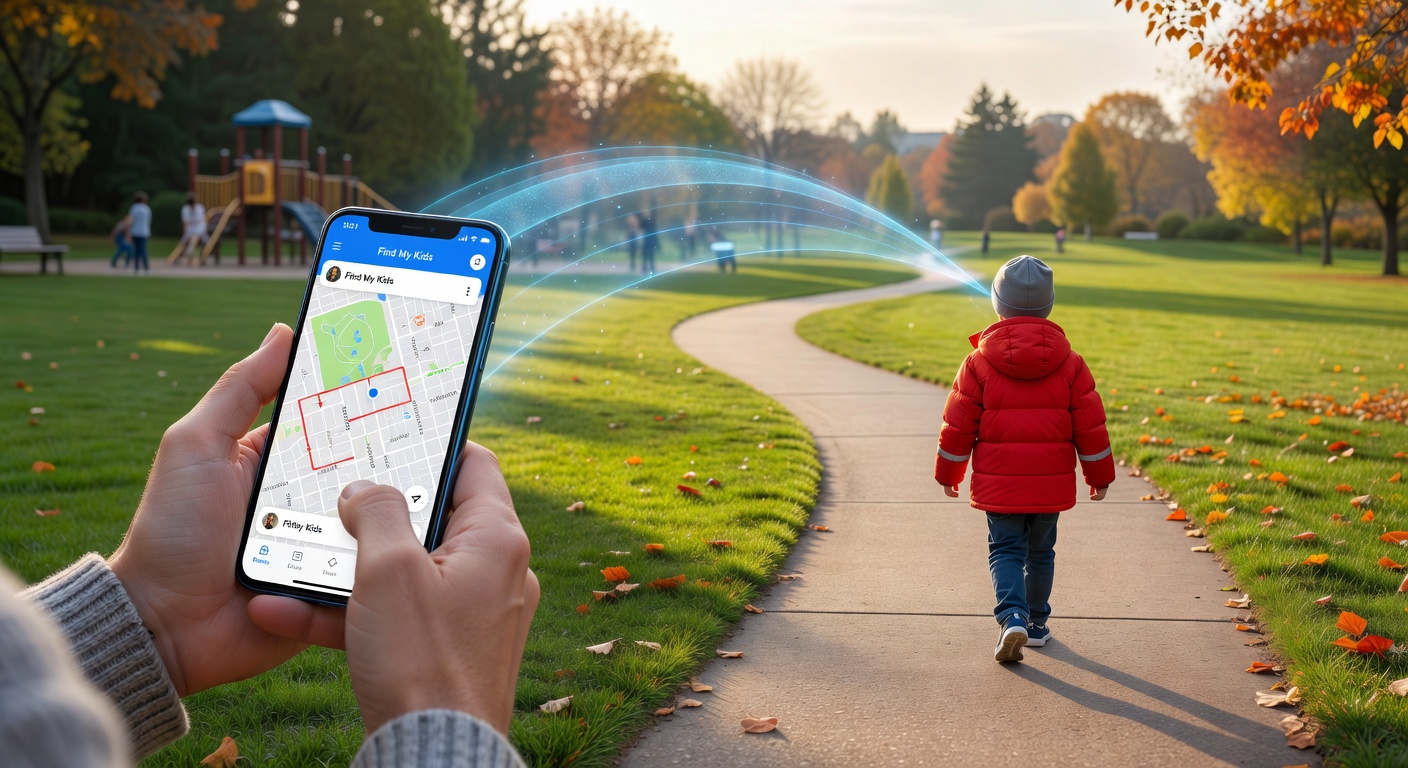
Addressing Parental Safety Concerns
Giving kids more freedom is one of the most normal – and nerve-wracking – parts of raising a child. Did they make it to school okay? Where are they right now? If something went wrong, how fast could you actually respond? These questions are real, and they sit in the back of every parent’s mind. That is exactly why we put together this Find My Kids app review – to see whether this tool genuinely reduces that anxiety through real-time location tracking, solid GPS tracking, and practical parental control features that fit into everyday family life.
The app is built around one idea: child safety should not come at the cost of making your day harder. You get the ability to monitor children’s whereabouts, pull up location history whenever you need it, and receive emergency alerts the moment something looks off. For parents trying to balance giving their kids room to breathe while still keeping a close eye, that level of visibility is genuinely valuable.
That said, we are not here to repeat the marketing brochure. This review breaks down how the app actually works in practice – which features hold up, how reliable the tracking tools are, and whether the whole package is worth it for a modern family. If you are weighing your options to protect your child while still respecting their growing independence, keep reading. By the end, you will have a clear picture of whether Find My Kids deserves a spot on your phone.
What is the Find My Kids App?
Find My Kids is a parental control tool and GPS tracking solution built for families who want to stay connected with their kids – without hovering over every single move. Think of it as a family-focused safety app that gives you location data, movement history, and real-time alerts. The kind of thing that lets you breathe a little easier on a busy school day.
The app is designed for parents who want to monitor kids in a way that actually fits real life. It’s not about locking down devices or going full surveillance mode. It’s about location awareness – knowing your child got to school safely, or that they’ve left the park and are heading home. Simple, practical, genuinely useful.
For younger kids, there’s also the Pingo companion app, which gets installed on your child’s phone to enable tracking and keep both devices talking to each other. And if you’re concerned about how your child’s data gets handled – fair enough – the platform is COPPA kidSAFE certified, which is a real trust signal worth paying attention to.
On top of that, Find My Kids works across iOS, Android, and selected GPS watches, so it doesn’t matter what kind of device your family is running. It covers the basics, and then some.
How to Set Up and Use Find My Kids: A Step-by-Step Guide
Getting started with Find My Kids is pretty simple. Follow these five steps to connect your child’s phone, customize your monitoring tools, and get the most out of the app’s safety features from day one.
Step 1: Download and Install
Start by heading to the Apple App Store or Google Play Store and download and install Find My Kids on your own device. Then, on your child’s phone, install the Pingo app – the companion app that handles location sharing and all the parental safety tools on their end. Before you go any further, just make sure both phones have internet access, GPS switched on, and the right permissions granted for location tracking.
Step 2: Set Up Your Account
Open the parent app and set up account access using your email or phone number. Once you’re verified, add your child’s device by entering the unique code that gets generated during setup. That’s what securely links both phones together, and from that point, Find My Kids starts syncing location data, alerts, and communication features automatically.
Step 3: Configure Settings
Now it’s time to configure settings around your family’s actual routine. Set up geofencing zones for the places that matter – home, school, a grandparent’s house – and you’ll get an instant alert whenever your child arrives or leaves. You can also turn on tools like low battery notifications, movement alerts, and surroundings listening. Tweak your notification preferences so you’re not bombarded with updates, but the ones that actually count still come through loud and clear.
Step 4: Monitor and Communicate
The main dashboard gives you a live view of your child’s location, their current battery level, and a full route history so you can see how their day unfolded. It’s genuinely useful for spotting patterns in daily movement. On top of that, the built-in Family Chat lets you send messages directly without jumping between apps – keeping all your safety-related conversations in one place where nothing gets lost.
Step 5: Respond to Alerts
The moment you receive SOS alerts or a geofence notification, open it straight away. Check your child’s current location and take a quick look at their recent movement history to get the full picture. From there, reach out through Family Chat or just call them directly. Responding fast to alerts means you can act in real time – not after the fact – and stay on top of anything that breaks from their normal routine.
In-Depth Review of Find My Kids Features
Find My Kids covers the core tools most parents expect from a monitoring app. That said, the real value comes down to how consistently those features hold up in everyday life. Based on competitor testing and user feedback, this platform performs best when you use it for routine safety check-ins rather than trying to run constant high-precision surveillance on your kids.
GPS Location Tracking
GPS location tracking is generally solid for showing a child’s current position and route history. In competitor testing, accuracy was good enough for school runs, afternoon walks, and daily commute monitoring – especially in urban areas. Where things get a little shaky is with occasional lag and incorrect movement data, both of which show up regularly in user feedback. The most repeated complaint? Exaggerated speed readings. The app sometimes shows a child moving at an unrealistic pace when they clearly are not. That does not kill the feature, but it does mean you should treat speed alerts as a nudge to check in – not as hard evidence of anything.
Listen to Surroundings
The listen to surroundings feature gets a genuinely mixed reception. Some parents find it reassuring – it helps them confirm whether their child is in class, outside, or somewhere unexpectedly noisy. Others run into inconsistent audio quality, background distortion, or connections that simply fail to go through. On top of that, recent updates now notify the child when the microphone activates. That is a win for transparency, but it does remove any element of discreet monitoring. Some users find this frustrating. Others see it as the more responsible approach. Where you land on that probably depends on your parenting philosophy.
Geofencing and Battery Notifications
Geofencing is one of the strongest features in the whole app. Setup is genuinely simple, and competitor reviews consistently describe the location-based alerts as dependable for marking school, home, or after-school activity zones. Battery notifications are a quiet but practical addition – they warn you when a device is running low so you are never caught off guard by a dead phone right when you need to reach your child.
Loud and SOS Signal
The Loud and SOS signal is built for urgent moments. Testing suggests it works well when a child needs to locate a misplaced phone fast or draw attention in an emergency situation. It is not a flashy innovation – but it does exactly what it promises, and that counts for a lot.
App Usage Report
The app usage report gives you detailed visibility into which apps your child is actually using and for how long. Competitor content notes the reporting is thorough and well-organized. The one small drawback is a slight delay before fresh activity shows up in the dashboard – nothing deal-breaking, but worth knowing.
Block Unwanted Calls
Simple, effective, and easy to configure. The block unwanted calls feature gives you tighter control over who can reach your child without any complicated setup. For parents who want that layer of protection, this is one of the more practical tools the app offers.
Family Chat
Family Chat functions as a secure, dedicated communication space inside the app itself. No third-party messengers, no switching between platforms – just a straightforward way for parents and children to share quick updates and stay connected in one place. It is simple, and because of this simplicity, it actually gets used.
- Best-performing features: geofencing, battery notifications, and Family Chat
- Most debated features: listen to surroundings and speed readings within GPS location tracking
- Most useful for daily parenting: app usage report and block unwanted calls
Pros and Cons of Find My Kids
Pros
- Accurate GPS tracking is genuinely one of the app’s strongest selling points. You can pull up your child’s real-time location or scroll back through their location history – handy for everything from the school run to after-school sports.
- The comprehensive safety features go beyond just knowing where your kid is. SOS alerts and geofencing mean you get notified the moment something feels off, so you can act fast.
- Those parental control capabilities are a real bonus too. Screen time insights and app usage tracking give you a much fuller picture of what your child is actually doing on their device day to day.
- It supports GPS watches, which is a smart option for younger children who aren’t carrying a phone yet. That’s not something every app in this space bothers with.
- The Family Chat feature keeps communication in one place. No jumping between five different apps just to ask your kid where they are.
- On the topic of privacy and security, the app leans on its COPPA certification, kidSAFE practices, and child consent measures – all reassuring signals for families who take data protection seriously.
- There are free basic features available, so you’re not flying blind before you commit. You can test the core functionality and get a real feel for it first.
Cons
- That said, the limited free trial is a bit of a sticking point. Most of the features worth having are locked behind a paid plan, and the window to test things properly feels short.
- Some users have flagged inconsistencies in performance – things like inaccurate speed readings or location updates that lag behind reality. In a genuinely urgent moment, that kind of unreliability matters.
- The notification of sound listening is another frustration. Because the child gets alerted when you activate it, any element of discreet monitoring goes straight out the window.
- And then there’s the cost. An expensive subscription is hard to swallow when competing family safety apps are offering a comparable feature set for noticeably less.
Pricing and Subscription Plans
Find My Kids runs on a freemium model, which means basic features are free right out of the gate. If all you need is simple location tracking and the core parent-child connection tools, you won’t pay a cent. It’s a genuinely low-pressure way to try the app before committing to anything. That said, the more advanced monitoring and alert options do require a paid subscription to unlock.
The good news? The subscription cost is very reasonable. You can go with a monthly plan at just $2.99 per month, or if you know you’ll be using it long term, the yearly plan at $16.99 per year is the smarter buy. Do the math – it works out to well under $2 a month. There’s also a free trial for premium features, though it’s limited in duration, so once it wraps up you’ll need to subscribe to hold onto the full toolkit.
| Plan | Price | What You Get |
|---|---|---|
| Free | $0 | Basic tracking and core location tools |
| Monthly Premium | $2.99 per month | Advanced features with flexible billing |
| Yearly Premium | $16.99 per year | Same premium features at a much lower long-term cost |
Bottom line – Find My Kids keeps things affordable whether you’re a casual user happy with the free tier or a parent who wants the full suite of tools. Either way, the entry point is hard to argue with.
Find My Kids vs. AirDroid Parental Control: A Feature Comparison
Let’s cut straight to it. When you put Find My Kids and AirDroid Parental Control side by side, the core difference comes down to what each app actually prioritizes. Find My Kids is built around real-world safety features – think accurate location tracking, geofencing alerts, and an SOS button that works when things go wrong fast. AirDroid Parental Control, on the other hand, goes deep on content monitoring. You get web filtering, app scheduling, app blocking, and even live screen viewing – a whole toolkit aimed at what your child is doing on their device.
On compatibility, both apps support Android, iOS, and web, so most families won’t hit a wall there. That said, the right pick really depends on your goal. If you need strong digital supervision and want to know exactly what your kid is watching or downloading, AirDroid has the edge. But if keeping your child safe out in the world is your top concern, Find My Kids pulls ahead – it includes a Loud SOS signal that AirDroid simply doesn’t offer.
Their plans and cost work differently too. AirDroid starts at a flat $9.99/month, while Find My Kids spreads some of its advanced features across premium tiers. Worth noting: AirDroid does include listening tools, but the surround sound pay-per-minute pricing model means your bill can quietly climb the more you use it.
| Feature | Find My Kids | AirDroid Parental Control |
|---|---|---|
| Location Tracking | Yes | Yes |
| Geofencing | Yes | Yes |
| SOS Alerts | Yes | Limited |
| Loud SOS Signal | Yes | No |
| Listen to Surroundings | Yes | Yes, pay-per-minute |
| App Usage Report | Basic | Yes |
| Web Filtering | No | Yes |
| App Scheduling | No | Yes |
| Live Screen Viewing | No | Yes |
| Starting Price | Varies by plan | $9.99/month |
- Choose Find My Kids if child-first safety and real emergency response tools are what you need.
- Choose AirDroid Parental Control if stronger device oversight, content controls, and screen-based monitoring are your priority.
Final Verdict: Is Find My Kids the Right Choice for Your Family?
Find My Kids is a strong option for families that put location tracking and fast safety tools first. The core strengths are hard to argue with – real-time GPS updates, geofencing alerts, and built-in emergency communication features that help you respond fast when something feels wrong. For most households, that level of visibility delivers genuine peace of mind and supports everyday child safety without any kind of steep learning curve. The app is also genuinely user-friendly, which counts for a lot when you’re a busy parent who wants practical protection, not a tech project.
- Best for: Parents who want reliable, location-based parental oversight and immediate safety alerts.
- Main benefits: Real-time tracking, geofencing, SOS options, and solid emergency communication tools.
- Main limitations: Subscription cost, occasional performance inconsistencies, and less depth in content monitoring.
That said, the app is not perfect. Its limitations start to show if you need advanced screen monitoring, detailed app usage analysis, or broader device controls. Pricing can tip the scales too – especially for larger families or anyone planning long-term use.
Our recommendation is straightforward. Choose Find My Kids if safety-focused tracking and fast alerts are your top priority. But if you need deeper content monitoring and more comprehensive digital parental oversight, AirDroid is probably the better fit. In the end, the right app is simply the one that helps you protect your child while still giving them the room to grow.
