
What Are App Cloners and Why Use Them?
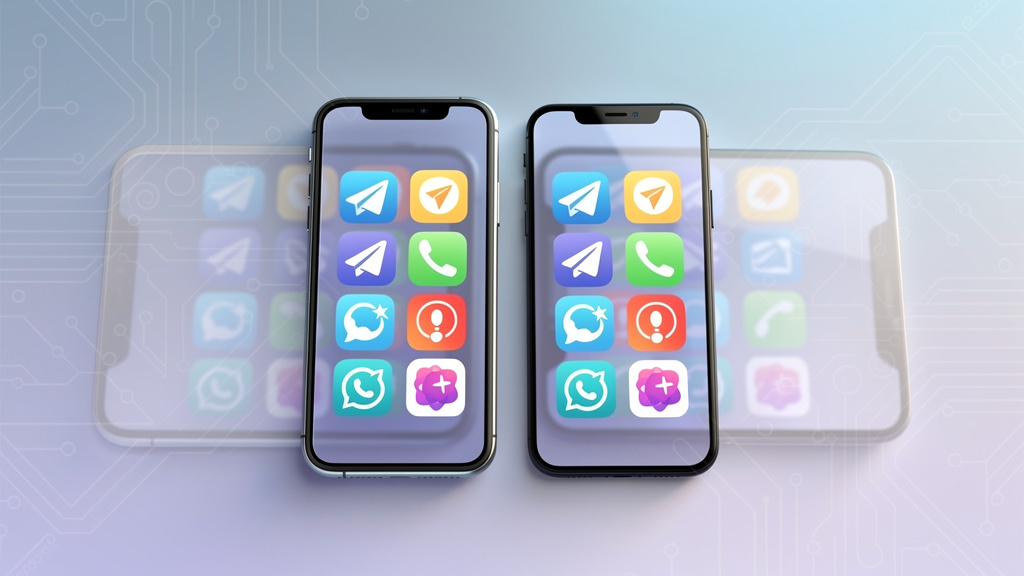
Ever wish you could split an app in two? That is exactly what an app cloner does. It creates an exact, standalone duplicate of an application already on your phone. Because these smart clone tools isolate the data for the new copy, they allow you to run multiple apps simultaneously. You can finally stop logging out and back in just to switch profiles. In short, it’s a clever workaround that bypasses the usual limit of having just one active session open at a time.
The biggest advantage here is managing multiple accounts without the headache of carrying two phones. It makes life much easier if you are trying to handle everything on a single device. For example, many people need to keep their work life separate from their personal feeds on social media platforms like WhatsApp or Instagram. Gamers love this tech just as much. It is the perfect way to juggle distinct game accounts, making it a breeze to level up different characters or farm rewards twice as fast from one handset.
That said, finding the right software is not always simple. You have plenty of options – from features already built into your system to third-party parallel space utilities. The challenge is picking a tool that performs well without wrecking your battery or compromising privacy. We are going to look at the top solutions out there to help you figure out exactly which one fits your multitasking style.
Built-in App Cloners: Android vs. iPhone
If you have ever tried to run two copies of the same app on an iPhone, you probably hit a wall pretty quickly. It just doesn’t happen. Because of Apple’s strict security restrictions, there is no native built-in app cloner available. You are basically stuck unless you want to mess with complicated workarounds.
But things look completely different if you move to Android. This ecosystem loves flexibility. In fact, most major manufacturers bake this capability right into the phone’s software, meaning you don’t even need to download extra tools. You usually just need to open the Settings app to find it.
The only catch? Every brand insists on giving the feature a unique name. Here is a quick cheat sheet to help you find it:
- Samsung users look for Dual Messenger.
- On a OnePlus device, it is called Parallel Apps.
- Xiaomi labels it Dual Apps.
- Huawei goes with App Twin.
Since these native tools are designed specifically for your hardware, Android users should definitely try them first before risking third-party downloads. They run smoother and drain less battery.
To show you how easy this is, let’s walk through the process on a Samsung phone using Dual Messenger:
- Head into your Settings app and type “Dual Messenger” in the search bar.
- Find the app you want to duplicate and simply toggle the switch next to it.
- Tap “Install” when the confirmation window pops up.
- Check your app drawer. You will see your new copy marked with a little orange badge to tell it apart from the original.
That is really all there is to it. It is a painless way to manage separate work and personal accounts without carrying two phones around.
Top 6 App Cloners for iPhone and Android: Tested & Reviewed
Juggling multiple accounts on one phone can be a nightmare. Logging in and out constantly just wastes your time. To save you the headache, we actually went ahead and tested the top contenders to track down the best app cloner for 2026.
The result is a handpicked list of tools that handle multi-account management without slowing your device down. The best part? Most of the software here is completely free to use. Whether you are looking for a secure parallel space for work files or just want dual apps for gaming, these picks deliver real performance.
Here is a quick breakdown of what each tool does best.
| App Cloner Name | Best For |
|---|---|
| App Cloner APK | Cloning unlimited identical apps on Android |
| App Cloner ARM | Cloning Android system apps (e.g., Settings) |
| Clone App | A reliable app cloner from the Play Store |
| Super Clone | Cloning ONLY social media apps on iPhone |
| Parallel App | Cloning some non-social media apps on iPhone |
| AirDroid App Cloner | Cloning app content and messages remotely |
Note: Keep in mind that iOS is a bit stricter. Because of how Apple builds its software, iPhone cloners usually only duplicate apps that have a functioning web version, such as social media platforms or strategy games.
1. App Cloner APK (Android)
If you consider yourself an Android power user, App Cloner APK is the tool you actually want for managing multiple digital identities. Most basic alternatives just give you a duplicate app and call it a day. This app is different. It excels at batch cloning, letting you spin up a ton of stable copies of a single application all at the same time. That is a massive time-saver if you are juggling a lot of social media profiles or need separate gaming environments.
The real magic here comes from the deep customization options. You are in total control. You can change the names or swap out icons to keep your home screen looking clean and organized. On top of that, it takes your privacy seriously. It comes packed with robust tools, including a stealth mode to keep things under the radar and a secure password lock functionality so nobody can snoop on the data inside your cloned instances.
Compatibility: Android (You need to install the APK manually).
Pricing: There are free and premium versions; the subscription for professional features starts at $4.49.
Pros:
- A completely ads-free experience right out of the box.
- Packed with advanced, system-level tweaks for total control.
- Actually works on non-social apps that other tools usually fail to clone.
Cons:
- It isn’t available on the Google Play Store, so you have to be comfortable with manual installation.
2. App Cloner ARM (Android)
If you need something stronger than the average APK copier, App Cloner ARM is a serious powerhouse. Most other tools limit you to third-party software, but this utility breaks that mold. In fact, it actually lets you duplicate system apps. This is a game-changer because users can create clones of native utilities like Contacts or mess around with Accessibility Settings to test new setups without breaking the phone’s main operating system.
The control you get here is impressive. It offers deep customization and extensive privacy options that go way beyond simple cloning. You can hide your digital footprint by setting fake app dates, spoofing your location, or locking specific clones behind a password. On top of that, it is completely ad free. You get all this functionality in a lightweight package that won’t slow down your device.
Pricing: Free
Compatibility: Android
- Pros:
- Works perfectly with both system apps and standard APK files.
- A totally ad free environment makes for a smooth user experience.
- Provides high-level customization for tweaking app behavior.
- Cons:
- The cloning process can be time-consuming if the files are large.
- Certain phones may fail to install cloned apps because of strict security settings.
- It is Not on the Play Store, so finding a safe download takes extra effort.
3. Clone App – Parallel Dual Space (Android)
If you need to juggle different online identities on a single device, you can grab this user-friendly tool straight from the Play Store. It works by using smart virtualization technology to build a secure, sandboxed environment on your phone. That might sound technical, but the result is simple: you can run multiple cloned apps at the same time without them clashing with your main installation. This keeps your secondary data isolated and stable.
On top of that, the app is great for personalization. You aren’t stuck digging through menus; you can just create a shortcut for any duplicated account right on your home screen for instant access. Privacy is a big deal here, too. The software includes a solid app lock feature, giving you the option to protect specific clones with a password or pattern. You can even switch up icons or rename apps to keep your digital workspace organized.
Compatibility: Android
Pricing: Free version available; premium subscriptions start from $1.68/month.
- Pros:
- Highly customizable interface that lets you edit icons.
- Solid security features to hide or lock clones.
- Versatile enough to duplicate non-social apps and games.
- The power to duplicate multiple apps at the same time.
- Cons:
- Unfortunately, cloned apps may crash frequently depending on your OS version.
- The free version has limited features and contains advertisements.
4. Super Clone (iPhone)
If you have an iPhone and need to manage multiple digital lives, Super Clone is a solid pick. It takes a slightly different approach than some other tools you might see. Instead of creating a duplicate file, it connects directly to the web version of your top social media apps. It currently creates shortcuts for about 10 major platforms, covering the big ones like WhatsApp, Instagram, LinkedIn, and Facebook. While it doesn’t offer deep technical customization, the truth is that for most standard users, it simply gets the job done.
One of the coolest additions is the built-in private browser. This lets you surf casually without cluttering up your main history. On top of that, you can rename your cloned icons to make sure you never mix up your work profile with your personal one. That said, the experience isn’t perfect. You will likely run into frequent ads, which can feel a bit intrusive at times. Regarding the price tag, you can stick to the Free tier, but getting the full experience requires a weekly subscription starting at $1.49 per week.
Pros:
- Lets you rename your shortcuts for better organization.
- Includes a private browser for secure navigation.
- Works seamlessly with 10 high-traffic social media apps.
Cons:
- The free version has a heavy amount of ads.
- Privacy options are a bit thin compared to competitors.
- You can’t run multiple clones at the exact same time.
- Limits you to just 3 clones on the free plan.
5. Parallel App – Dual Accounts (iPhone)
If you use an iPhone and need to juggle more than just a couple of chat accounts, Parallel App is worth a look. It offers something a bit different than the standard cloning tools. While most competitors get stuck focusing only on messengers, this software branches out. You can easily manage extra accounts for Reddit, keep a separate feed on Pinterest, or handle a secondary Gmail inbox without the headache of constant logging in and out. It’s also become a go-to choice for managing dating apps, giving you a way to keep those profiles completely separate from the rest of your daily phone usage.
There is more to this app than just cloning, though. It actually packs in a few handy utility features, including translation tools and speech-to-text capabilities to make communication easier. That said, privacy is the real standout here. The built-in private browser ensures your surfing habits stay off the record. On top of that, you get a private gallery—a secure space to stash photos that you definitely don’t want showing up in your main iOS Photos library. To keep everything tight, the app lock feature lets you secure these cloned instances behind a password or face scan.
Pros:
- Great customization options that let you disguise apps by changing their names and icons.
- Solid security via the app lock, which keeps your sensitive data behind a password.
- Comes with a built-in private browser and a secure private gallery for keeping media hidden.
Cons:
- The ads in the free version can be pretty frequent and annoying.
- You hit a limit quickly since the free tier only lets you clone 3 apps.
- No support for multiple instances; you can’t run several clones of the exact same app at the same time.
Pricing: Free basic version; Premium subscriptions start from $1.99/week. Compatibility: iPhone.
6. AirDroid App Cloner (Android & iPhone)
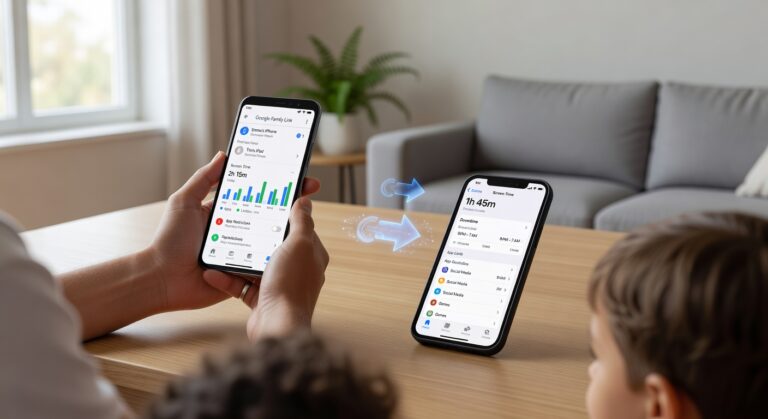
Don’t let the simple name fool you. AirDroid App Cloner is much more than a standard utility – it is actually a sophisticated suite for parental control and remote access. Unlike basic cloners that just duplicate local apps so you can manage multiple accounts, this tool operates differently. It allows for a remote clone of data from a connected phone directly to your own device. This setup is specifically designed for comprehensive content monitoring, giving you a real-time window into another device’s activity.
The software really shines when syncing text messages and system notifications. This ensures that any incoming alert on the target phone is immediately visible to you. But it goes beyond simple data logs. Thanks to powerful screen mirroring capabilities, you can see exactly what is happening on the display at any moment. You also get a complete list of all installed apps on the linked device, making it a robust security solution for families. AirDroid works on both Android and iPhone, although the feature set does vary by platform.
Cost is always a factor, so the service includes a 3-day free trial to let you test the features first. After that, maintaining full access requires a subscription starting at $9.99 per month.
- Pros: Powerful remote clone abilities, real-time screen mirroring, and a completely ad-free user experience.
- Cons: Not primarily designed for traditional app cloning (multi-accounting), requires a paid subscription, and offers limited features on iPhone compared to Android.
Final Verdict: How to Choose the Best App Cloner
Picking the right software isn’t a one-size-fits-all situation. In reality, the decision comes down to your specific needs and exactly what device type you are holding. You aren’t just looking for a copy; you want stability and security. Here is a quick breakdown to help you make the right call:
- To clone ANY app on an Android phone: If you want maximum compatibility, we suggest App Cloner APK, App Cloner ARM, or Clone Air. These are the heavy hitters. In fact, you should lean toward App Cloner ARM if you need to duplicate system apps that are usually restricted by the OS.
- For iPhone users: Options here are often limited. While most tools for iOS stick strictly to social media apps, Parallel App is the best bet for cloning select non-social utilities as well.
- For advanced customization and privacy: Maybe you want to change icon colors, swap names, or enable a privacy feature like a password lock. For this, App Cloner APK (Android) and Parallel App (iPhone) are your top choices.
- For a remote clone of app content: If your goal is monitoring or accessing data from a distance, AirDroid App Cloner is the specialized tool built specifically for remote synchronization.
At the end of the day, the best app aligns with your hardware and the social media apps or utilities you plan to duplicate. Just make sure you weigh whether you want deep customization or just a quick way to access dual accounts before you hit install. By matching your primary goal to these recommendations, you get seamless multitasking without slowing down your phone.