

Why Android Family Tracking Apps Are a Game-Changer for Modern Parenting
For most households today, an android family tracking app is no longer a nice-to-have. It’s become one of the most practical safety solutions out there – something parents genuinely rely on to stay connected during the chaos of everyday life. Android users especially need flexible tools that bring location sharing, GPS safety, and parental control features together in a single place, because juggling a busy family schedule is hard enough without switching between five different apps.
These family tracking apps do a lot of heavy lifting. They help parents keep tabs on teenagers commuting to school or hanging out with friends across town. They also support adults who care for elderly relatives – people who might need quick location help or emergency assistance at a moment’s notice. The best ones get the balance right between safety and trust, giving your family real visibility without turning every check-in into a source of tension.
So what actually matters when choosing one? Accuracy, usability, alerts, and solid privacy insights – those are the things worth paying attention to. Everything you’ll find in this guide is grounded in real-world tests and expert reviews, not just spec sheets or marketing copy. The goal is simple: help you figure out which tools genuinely deliver peace of mind and which ones fall short. The detailed breakdowns and side-by-side comparisons below will get you there.
Quick Comparison of Top Android Family Tracking Apps
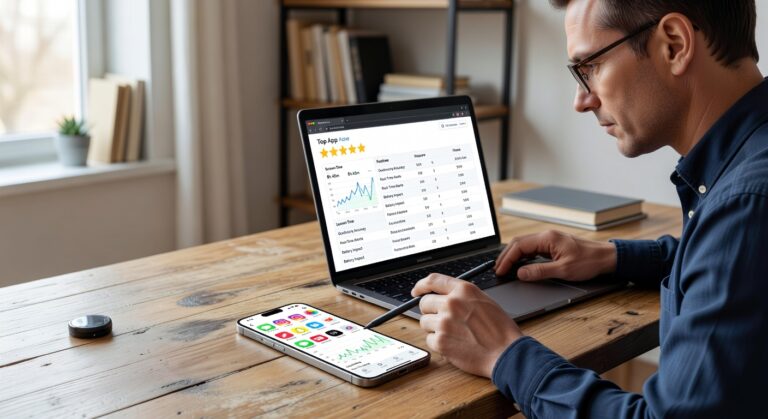
This app comparison breaks down the leading Android family tracking apps across key features, pricing, privacy safeguards, ease of setup, and overall subscription value. All six options support Android – but they differ pretty sharply when it comes to transparency, how deep the monitoring goes, and the platforms they actually cover.
| App | Android Compatibility | Key Features | Pricing | Privacy & Transparency | Ease of Use |
|---|---|---|---|---|---|
| Hoverwatch | Strong Android focus | Location tracking, calls, SMS, social media monitoring, stealth mode | $29.95/month for 1 device | Low transparency; limited visible privacy safeguards | Moderate setup; dashboard is simple once installed |
| Life360 | Excellent on Android | Real-time location, driving reports, crash alerts, place alerts | Free plan plus premium tiers | High transparency; built for family consent and shared visibility | Very easy to set up and use |
| Qustodio | Excellent | Screen time, app blocking, web filtering, location tracking | Premium subscription | Strong parental controls with clear privacy safeguards | Easy setup across multiple platforms |
| mSpy | Strong Android support | Messages, GPS, app activity, advanced phone monitoring | Premium subscription | Less transparent; monitoring-first approach | Moderate; setup can take longer |
| FamiSafe | Excellent | Location history, screen time, app rules, geofencing | Premium subscription | Good balance of transparency and family safety tools | Easy for most parents |
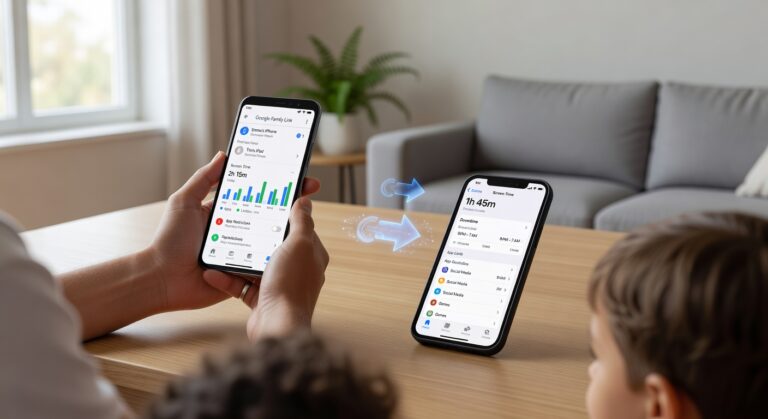
| Google Family Link | Native Android integration | App approvals, screen time limits, device management, location | Free | Strong transparency and Google account-based controls | Very easy if your family already uses Google |
Here is how they stack up at a glance:
- Best for transparency: Life360, Qustodio, and Google Family Link.
- Best for deep monitoring: Hoverwatch and mSpy – though the privacy trade-offs are real.
- Best free option: Google Family Link, no question.
- Best mix of family safety and ease of setup: FamiSafe and Life360.
- Best subscription value: That depends entirely on whether you need live location accuracy, content controls, or stealth monitoring.
For most families, the right pick really comes down to one question – what do you value most? If accuracy and strong parental controls are your priority, you have solid options across the board. But if consent and transparency matter to you, Life360 and Google Family Link are the smarter, safer choices to start with.
How Android Family Tracking Apps Work: Technology Explained
Android family tracking apps are not running on just one signal. They actually pull from a combination of GPS satellites, Wi-Fi triangulation, cell tower signals, motion sensors, and AI-driven geofencing – all working together to sharpen accuracy across both outdoor tracking and indoor tracking scenarios. The result is something much more reliable than any single method could deliver on its own.
Take GPS satellites first. Your device calculates its position by measuring distances from multiple satellites at once, which is why GPS tends to be the gold standard for live location and route history when you’re outside. That said, it comes with a real trade-off: noticeable battery drain. On top of that, GPS struggles badly in tunnels, packed city centers, or anywhere inside a large building.
Wi-Fi triangulation fills some of those gaps. It works by comparing nearby Wi-Fi networks against massive hotspot databases, and because of this, it often locks on faster than GPS. It’s genuinely better for indoor tracking. The catch? Its accuracy lives and dies by how many quality networks are around you – in rural spots, results can get pretty inconsistent.
Then you have cell tower signals. These give a broader location estimate based on which mobile towers your phone is connected to at any given moment. It’s a lower-power option, which makes it useful when GPS is failing you. But precision takes a hit, especially in areas with thin network coverage.
Motion sensors – things like the accelerometer and gyroscope – bring a different kind of value. They detect movement, sudden stops, and direction changes, giving apps the context they need to cut down on false alarms and make arrival or departure alerts far more trustworthy.
AI-driven geofencing takes things a step further. Rather than just drawing a fixed line on a map, smarter apps use routine learning to actually understand how a person moves day-to-day. They adjust notifications based on real patterns and filter out those annoying brief signal jumps that would otherwise trigger unnecessary alerts.
- GPS: Best accuracy for outdoor tracking, but expect more battery drain.
- Wi-Fi: Stronger for indoor tracking, though hotspot density matters a lot.
- Cell towers: Easy on the battery, but lower precision overall.
- AI and sensors: Work behind the scenes to reduce false alarms and keep things reliable.
In real-world use, the best Android family tracking apps shift between all these technologies automatically – no manual switching needed. That hybrid approach is what makes them genuinely dependable. No system is flawless when signals get blocked or go weak, but combining GPS satellites, Wi-Fi triangulation, cell tower signals, motion sensors, and AI-driven geofencing gets you as close to consistent as current technology allows.
In-Depth Reviews of the Best Android Family Tracking Apps
What you’ll find below are genuine expert reviews of the top Android family tracking apps – tested and evaluated with a sharp focus on how each one actually holds up on real Android phones and tablets in real-world scenarios. We break down the core app features, pricing structures, strengths, weaknesses, and overall user experience for each option, so you can quickly figure out which one actually fits your family’s situation.
We also look at the full range of approaches out there. Some apps are built around transparent sharing – where everyone knows they’re being tracked. Others lean into stealth monitoring capabilities for a more discreet setup. And then there are hybrid solutions that bundle location tracking together with broader parental controls. Whatever your family needs, the sections below give you a direct, honest, side-by-side look at reliability, setup ease, daily usability, and whether you’re actually getting your money’s worth on Android.
Here’s what each review covers:
- Features: Tracking tools, alerts, and parental controls
- Pricing: Subscription plans and overall value
- Pros and cons: Key advantages and real limitations on Android
Hoverwatch: Top Pick for Stealth Monitoring on Android
Hoverwatch is purpose-built for parents who need discreet oversight without tipping off the person being monitored. Its defining feature is stealth mode – the app runs as a hidden background process with zero visible icon and no on-screen traces whatsoever. That invisibility alone makes it one of the most compelling silent tracking tools available for Android right now.
On the location side, Hoverwatch pairs real-time GPS with Wi-Fi triangulation. That combination genuinely matters because GPS alone can struggle indoors or in packed city centers – the Wi-Fi layer fills those gaps. You also get solid call monitoring and wide-ranging social monitoring, so reviewing calls, texts, and messaging app activity all happens from one dashboard.
Privacy protections are legitimately strong here. AES-256 encryption keeps tracked data locked down, and auto-log deletion means sensitive records don’t just sit around indefinitely. That said, if your priority is boundary-setting and emergency response, know that geofencing and SOS alerts are not where Hoverwatch shines – those features feel secondary compared to dedicated family safety apps, and there’s no real collaborative family toolset either.
- Pricing: $29.95 for 1 device
- Bulk pricing: $9.99 per device for 5+ devices
- Pros: exceptional stealth operation, robust AES-256 privacy protections, accurate real-time GPS plus Wi-Fi location tracking, reliable call and social media monitoring, completely invisible on-screen
- Cons: no group sharing or family collaboration features, geofencing and SOS alert capabilities are limited compared to purpose-built family safety apps
Life360: Transparent Location Sharing for Android Families
Life360 for Android is built on consent-based sharing from the ground up – and that’s exactly what makes it stand out. If your family wants real coordination and safety rather than secret surveillance, this is the app designed for you. The flagship feature, location circles, lets every approved family member share their live location with the group. That means genuine group visibility with no hidden mechanics, no surprises.
On top of that, the app’s geofencing tools let parents set up specific places – school, home, a friend’s house – and receive encrypted alerts the moment a child arrives or leaves. It’s simple, practical, and genuinely useful for day-to-day family life.
Where Life360 really pulls ahead is with crash detection and detailed driving reports. These features let you review trip history, spot risky driving habits early, and react fast when something goes wrong on the road. Pricing is pretty clear-cut: the Free plan covers the basics, Gold runs $14.99/month, and Platinum sits at $24.99/month for the full feature set.
- Pros: Genuinely strong for trust building – it encourages open family communication rather than suspicion, and the real-time alerts add a solid layer of safety for drivers.
- Pros: The interface is clean and easy to navigate, place alerts work reliably, and the shared maps make daily coordination feel effortless.
- Cons: Stealth monitoring is simply not what this app does – everyone in the circle knows location sharing is active, so if that’s what you need, look elsewhere.
- Cons: The most useful safety features sit behind paid tiers, which can feel like a stretch for families on a tight budget.
Qustodio: Comprehensive Parental Control for Android
Qustodio does a lot of things right as a hybrid parental control platform for Android. It pulls together family tracking and online safety into a single app, so you are not constantly switching between tools. If you want both digital supervision and real-world peace of mind, this one covers the ground – GPS history, app blocking, web filters, and a built-in emergency SOS feature. It also handles screen limits natively, which means managing your kid’s daily device use actually stays manageable.
Here is what genuinely sets Qustodio apart. It strikes a rare balance between keeping kids safe and respecting everyone’s privacy. The platform is fully GDPR compliant, and the reporting goes deep – you get detailed audit trails covering app activity, browsing history, and location events. On top of that, it handles multi-device management cleanly from one parent account, so monitoring multiple children does not turn into a logistical headache.
- Key features: location history, app blocking, content filtering, screen limits, web filters, and SOS alerts.
- Pricing: Basic costs $4.58/month billed annually; Complete costs $8.33/month billed annually.
- Pros: combines online and offline safety, strong privacy standards, useful family tracking tools.
- Cons: the dashboard is feature-rich but can feel complex and overwhelming for first-time users.
In fact, if deeper visibility and tighter control are what you are after – without giving up on privacy standards – Qustodio is one of the stronger Android options out there right now.
mSpy: Advanced Monitoring for Android Devices
If you’re a parent who wants serious digital oversight on your child’s Android device, mSpy was built with you in mind. Discretion is a big part of what makes it work. Its stealth mode keeps the app running silently in the background – your kid won’t see a thing. On top of that, you get powerful tools like keystroke logging, social scans, and hidden GPS tracking, which together paint a surprisingly detailed picture of what your child is actually doing online. Spotting risky conversations, reviewing location history, and handling bullying detection across messaging apps and social platforms? mSpy covers all of it.
Security is where mSpy really pulls ahead of the pack. The platform uses bank-grade encryption to protect every piece of synced data – and when you’re dealing with sensitive family information, that’s not something you want to compromise on. Its AI monitoring capabilities are getting sharper too, flagging suspicious behavior patterns faster than a manual review ever could. That said, the dashboard isn’t the slickest you’ll find. Compared to some competitors, it takes a little getting used to.
- Pricing: $48.99 for one month
- Annual plan: $11.66 per month
- Pros: Thorough monitoring, high security
- Cons: Expensive, less user-friendly interface
The bottom line? mSpy is a genuinely powerful Android monitoring solution. It’s best suited for parents who want advanced tracking and discreet operation and are willing to trade a bit of simplicity – and budget – to get it.
FamiSafe: Affordable Safety Solution for Android
FamiSafe for Android does something a lot of parental control apps fail to do – it stays focused. Rather than cramming in every possible feature, it zeroes in on core safety features and does them well. The result is a genuinely budget-friendly app that gives parents real peace of mind without the overwhelming price tag or cluttered dashboard that comes with some premium tools.
What you actually get here is solid. Real-time GPS tracking with location alerts, app blocking to keep distractions in check, driving reports that help you keep tabs on your teen behind the wheel, and video monitoring for a broader look at how the device is being used. The interface is clean and straightforward – most parents can get everything set up and running in minutes, no tech background needed.
- Features: Real-time location tracking, location alerts, app blocking, driving reports for safer teen driving habits, and video monitoring for broader device oversight.
- Pricing: $9.99 per month, or drop it down to $4.99 per month on the annual plan.
- Pros: Affordable pricing, genuinely easy to use, and fully GDPR/COPPA compliant – so you can feel confident about how your child’s data is handled.
- Cons: It does feel like a lite version next to more feature-heavy competitors. If you want deep customization or advanced monitoring, you may hit a ceiling fairly quickly.
That said, for families where value and simplicity are the priority, FamiSafe is a genuinely practical choice. It won’t try to do everything – but what it does, it handles reliably.
Google Family Link: Free Basic Tracking for Android
Google Family Link is a genuinely useful free tool for parents who just want simple, no-fuss oversight on their kid’s Android device – no paid subscription required. It keeps things focused: basic GPS location visibility, screen time controls, and app supervision through app approvals. And if your household already lives inside the Google ecosystem, the whole thing practically sets itself up. That instant setup with existing Google accounts is a real time-saver.
In day-to-day use, Family Link hits its sweet spot with younger kids or parents who need the core stuff without getting lost in complex dashboards. You can check where your child’s device is, set downtime windows, cap daily screen time, and pull up usage reports to see exactly how they’re spending their phone time. That said, if you’re hoping for deep monitoring – keylogging, social media tracking, that kind of thing – this isn’t the app for that. Dedicated parental control apps go much further.
- Pricing: Free
- Pros: no cost, seamless integration with Google accounts, easy setup
- Cons: limited advanced features, privacy concerns tied to Google’s data policies
Bottom line? Family Link is a solid starting point for straightforward Android parental controls. Just go in knowing you’re working within Google’s consent-based policies and broader data practices – and decide whether you’re comfortable with that trade-off.
How to Choose the Right Android Family Tracking App
The whole process of choosing a family tracking app really comes down to matching features to needs – and that looks different for every household. Some families want real-time location, crash detection, and rapid emergency alerts. Others care far more about screen time limits, app blocking, or keeping tabs on what kids do online. So before you even open an app store, get clear on your safety priorities and your family values. That foundation makes every other decision easier.
- Step 1: Nail down your main goal. Are you focused on driving safety, location history, geofencing, or full digital supervision? Knowing this upfront stops you from paying for tools you will never actually use.
- Step 2: Check the performance basics. Battery life, location accuracy, and alert speed matter more than most people expect. A feature-packed app that kills your kid’s phone battery by noon – or sends you a notification three hours late – is not a safety tool. It is a problem.
- Step 3: Take privacy and trust seriously. Dig into how the provider actually handles your data. Look for strong encryption, honest data retention policies, clear account controls, and solid data deletion options. If you are based in Europe, GDPR compliance is non-negotiable.
- Step 4: Always commit to testing before committing. Free trials, live demos, and money-back guarantees exist for a reason – use them. Run the app on your family’s real Android devices and see how it behaves day-to-day.
- Step 5: Make sure everyone is genuinely on board. The best app in the world fails if your family resents it. Have an honest conversation about what is being monitored and why. That transparency is what keeps the setup rooted in privacy and trust rather than turning into a source of conflict.
- Step 6: Build in an ongoing review. Kids grow. Their independence changes. Schedule regular check-ins to revisit permissions and tweak settings so the app still fits your family’s reality – not just where you were six months ago.
The right choice is never just about a feature list. It is about finding that balance between protection, usability, and openness – so the app you pick today still works for your household a year from now.
Frequently Asked Questions About Android Family Tracking Apps
Android family tracking apps tend to spark the same questions over and over – mostly around reliability, privacy, and whether they actually hold up in daily life. So here are the straight answers parents and caregivers ask about most.
- Do these apps need an internet connection? In most cases, yes. You need an active internet connection for real-time updates, alerts, and dashboard syncing to work properly. That said, plenty of apps can hold onto offline data temporarily and push it through the moment the device gets back online.
- Will they cause battery drain? Background tracking does use some power – there’s no way around that. But modern Android apps have gotten smart about managing battery drain by blending GPS, Wi-Fi signals, and motion sensors together, rather than hammering the battery with non-stop high-accuracy location checks.
- How safe is location sharing privacy? This one really depends on the provider. Look for end-to-end encryption, clear consent controls, strict limits on third-party sharing, and honest app permissions that don’t ask for more than they need. The best services are upfront about data retention and follow GDPR-style location sharing privacy standards.
- Can they be used for elderly relatives? Absolutely. A lot of Android tracking apps are built with elderly relatives in mind – think SOS buttons, geofencing, emergency alerts, and clean location history displays that aren’t a headache to read.
- What happens if the phone is turned off? Once the phone turned off, live updates stop completely. The app will typically hold the last known location on screen until the device powers back on – not perfect, but at least you’re not left with nothing.
Wrapping Up: Finding the Best Android Family Tracking App for Your Home
Picking the best Android family tracking app is not simply about piling on more monitoring tools. It is really about finding the right mix of safety features, privacy controls, pricing, and usability that actually works for your household. The right app supports genuine family security, respects personal boundaries, builds real trust and safety, and helps parents honor their parental responsibility without crossing lines they should not cross.
Before you spend a single dollar, take advantage of free trials or demo versions first. That way, you can make a truly informed decision grounded in real, everyday use – not just a polished sales page. Think carefully about what your family actually needs. Maybe that is location alerts. Maybe it is screen time tools or emergency support. Whatever the case, a healthy technology balance never comes from an app alone – it comes from open conversations, clear household rules, and a genuine commitment to transparency on both sides. Used thoughtfully, these apps deliver real peace of mind and become a meaningful part of safeguarding loved ones day after day.