
Why Monitoring Your Child’s iPhone Actually Matters
Kids today use their iPhones for just about everything – school research, streaming, group chats, and scrolling through social media for hours. That means they’re constantly plugged into a digital world that comes with real online risks. Cyberbullying, inappropriate content, phishing scams, contact with strangers – these aren’t edge cases. They happen to real kids, and parents often don’t notice until things have already gone sideways. That’s exactly why digital parenting in 2025 takes a lot more than occasionally asking, “Who are you texting?”
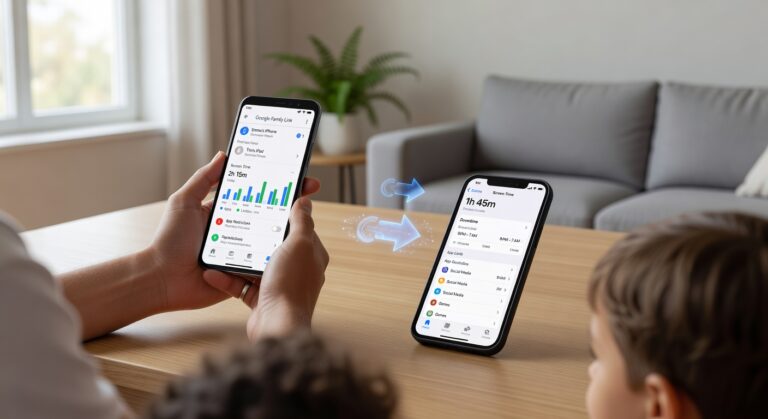
Casual supervision just doesn’t cut it anymore. Your kid can delete a conversation in seconds, flip to a different app, or use private browsing without leaving a trace. Even the built-in iPhone parental controls Apple provides have their limits – they’re a starting point, not a complete picture. A dedicated parent monitoring app for iPhone fills in the gaps. Screen time patterns, app activity, potential warning signs – you see what actually matters, without relying on guesswork or hoping your child volunteers the information.
And here’s the thing – this isn’t about surveillance. It’s about smarter child safety in an environment where small problems can spiral fast. Used the right way, these tools help you stay informed, steer your child toward healthier phone habits, and step in early – before a manageable situation becomes a serious one.
The Shortcomings of Apple’s Built-in Screen Time
Apple’s Screen Time is handy for basic household rules – but if you need serious, reliable monitoring, it’s going to let you down. The core problem? Most of its limits depend on what’s happening locally on the device itself. That makes circumvention surprisingly straightforward for a determined kid – no advanced hacking skills required.
There are some well-known workarounds that show exactly where Apple’s native tools fall apart:
- Time zone change: A quick time zone change or a tweaked device clock can throw off downtime schedules and app limits entirely.
- iMessages loopholes: Shared links inside iMessages can open blocked content or quietly route your child into restricted apps – a classic bypass path that’s easy to miss.
- Factory reset: A factory reset can wipe every restriction if the protections weren’t locked down tightly in the first place.
- Weak enforcement: Apple’s iOS restrictions were built for convenience. Tamper-resistant parental control is a different thing altogether.
These gaps are real, and they matter. Modern teens actively look for ways around limits – that’s just the reality. In fact, competitor reviews flag the same issue over and over: Screen Time is fine for drawing soft boundaries, but it lacks the deeper alerts, stronger lock mechanisms, and consistent monitoring you get with a dedicated parental control app.
If you want true accountability rather than casual device management, Apple’s built-in option won’t cut it. A third-party app almost always gives you stronger enforcement, better visibility, and far fewer openings for bypass and circumvention.
Key Features to Demand in a Parent Monitoring App
Want real protection on an iPhone? Then a parent monitoring app needs to do a lot more than hand you basic screen reports. The best tools bring together strong controls, accurate alerts, and genuine tamper resistance – so your child cannot just work around them the moment your back is turned. Here is what you should actually be looking for.
- Advanced app blocking that lets you shut down specific apps, entire app categories, and new installs before they ever become a problem. Any serious solution should also handle age-based restrictions and give you room for flexible exceptions when life calls for it.
- Web filtering that works across Safari and every other browser, blocks inappropriate content in real time, and – this one matters – prevents a simple VPN bypass. If your child can sidestep filters by switching on a VPN or opening a private browser, the protection just is not good enough.
- Accurate location tracking with live updates, a full location history, and instant geofencing alerts the second your child enters or leaves school, home, or anywhere else you have flagged as important.
- Custom time limits paired with daily scheduling for specific apps, general device use, bedtime, homework hours, and school periods. The best apps let you build different rules for weekdays, weekends, and yes, even those inevitable emergency exceptions.
- Uninstall protection or tamper alerts that ping you the moment your child tries to remove the app, cut permissions, or quietly change core settings. Without this single feature, everything else you have set up becomes far less reliable.
- Communication visibility – covering call monitoring, SMS monitoring, and social media monitoring where legally available. These tools give parents a real shot at catching cyberbullying, risky contacts, or early grooming warning signs before things escalate.
The truth is, a top-tier iPhone monitoring app needs to deliver strong filtering, dependable location tools, flexible time controls, and real tamper resistance – all in one place. If any of those pieces are missing, you are probably just paying for reports. Not real protection.
#1 Qustodio: The Best Overall Parent Monitoring App for iPhone
Qustodio sits at the top of our list for a simple reason – it gets the balance right. Strong protection, genuinely useful monitoring features, and a dashboard that won’t leave you Googling “how do I use this” at 10pm. The basic plan starts at €3.58 per month, which is a fair price for families who want solid iOS coverage without paying for a bunch of tools they’ll never touch.
On iPhone specifically, the app and web controls are where Qustodio really pulls ahead. It blocks 25,000+ iOS apps, and you can set things up by category or by individual app name – whichever works for you. That’s a level of control most competing tools just don’t offer. They give you screen time limits and call it a day. Qustodio’s advanced web filtering covers both Safari and Chrome, and it’s built to hold up against VPN circumvention tricks that kids use to slip past weaker parental control apps. That matters more than most parents realize.
For day-to-day family management, it handles everything you’d expect and then some. Screen time limits, custom scheduling for school hours, homework time, bedtime – you name it. YouTube monitoring is included too, so you can actually see what your kids are watching. Uninstall protection keeps your rules intact after setup, which is the kind of thing you don’t think about until it’s too late. Getting Qustodio running does take a bit of time – around 10-15 minutes – mostly because you need to install a configuration profile on your child’s iPhone. Not difficult, just not instant.
Here’s where Qustodio goes further than most iPhone monitoring apps: it offers call monitoring, SMS monitoring, and tracking for iMessages. Fair warning though – those features need a desktop helper app, so you can’t manage everything purely from the iPhone. On top of that, it gives you visibility into messaging apps like WhatsApp and LINE, which is genuinely reassuring for parents who want to know who their kids are talking to. And if you want to try it all before committing, the 30-day money-back guarantee means there’s no real risk in testing it out.
Pros
- Intuitive app blocking with support for 25,000+ iOS apps.
- Excellent web filtering for both Safari and Chrome.
- Holds up well against common VPN circumvention attempts.
- Solid extras – time limits, custom schedules, YouTube monitoring, and uninstall protection.
- Reasonable entry price and a no-fuss 30-day money-back guarantee.
Cons
- Call monitoring, SMS monitoring, and iMessages tracking all need a desktop helper app to work.
- Setup takes a few minutes and requires installing a configuration profile on the child’s device.
#2 Norton Family: Superior Web Filtering & Monitoring
If safe browsing is your top priority, Norton Family is hard to beat. It runs at €43.02 per year as a standalone subscription, and it’s also bundled with select Norton 360 plans – a genuinely useful combination if you want device security and parental controls under one roof. For most parents, the value proposition is clear.
The star of the show is the filtering engine. It uses 45+ categories to sort and block websites by type, so you can restrict gambling, adult content, violence, social media, or whatever else doesn’t belong in your child’s daily browsing. What really sets it apart, though, is how well it holds up against workarounds. VPN bypass attempts – the go-to trick for tech-savvy kids – are actively resisted. On top of that, uninstall protection stops children from simply deleting the app to dodge restrictions. That combination makes Norton Family one of the more resilient options in this space.
The School Time feature is genuinely practical. You set focused windows for educational use, and entertainment or unrelated web filtering kicks in automatically outside those hours. It works well for homework time or school-issued devices. Location tracking runs in real time, and the geofencing alerts let you know the moment your child arrives at or leaves a designated area. Pair that with flexible, age-based time limits, and you have a well-rounded tool that manages screen time without you needing to hover over their shoulder all day.
Norton backs everything with a 60-day money-back guarantee, which gives you a solid window to test whether the controls actually fit your household. It’s not flawless – iOS support has real gaps – but the browser monitoring and content filtering are genuinely among the best available.
Pros
- Excellent web filtering with 45+ categories and strong resistance to VPN bypass attempts.
- School Time mode keeps browsing focused during learning hours.
- Accurate location tracking with reliable geofencing alerts.
- Flexible age-based time limits and solid uninstall protection.
- Works as a standalone plan or bundled with Norton 360 for added value.
Cons
- No app supervision on iOS, which noticeably limits control on Apple devices.
- Some browser restrictions need manual browser blocking to work at their best.
#3 Bark: Proactive Social Media & Web Monitoring
Bark takes a refreshingly different approach compared to most parental control apps. Rather than logging every single thing your child does, it zeroes in on account-level monitoring across more than 15 social media and messaging platforms – Instagram, WhatsApp, Snapchat, Discord, and plenty more. That alone makes it a great fit for parents who want real oversight without turning into someone who reads every private message their kid sends.
The platform relies on AI-powered alerts to scan connected accounts for genuinely worrying content – bullying, violence, suicidal ideation, sexual material, online predators, you name it. When something flags up, you get an alert with just enough context to decide whether you need to step in. In most cases, Bark does not hand you the full conversation thread, and honestly, that’s a feature, not a flaw. It keeps the trust intact while still delivering solid, practical social media monitoring.
Bark Premium runs €12.05 per month and covers unlimited devices under one subscription – genuinely good value if you have more than one or two kids. There’s a 7-day free trial to test things out, though be aware that there’s no money-back guarantee once that window closes. Beyond scanning messages and apps, the web filtering tools are solid too, letting you block content by category or lock down specific URLs outright.
The rest of the feature set holds up well. Location tracking, check-ins, and geofencing all work reliably, and you can set screen time schedules around school hours, bedtime, or device-free windows. The driving summary is a nice touch for families with teen drivers – it tracks trips, flags speed-related behavior, and gives you a general picture of how they’re driving. Bark isn’t the most restrictive tool out there, but for families who’d rather catch problems early than surveil every tap and swipe, it’s one of the better options around.
Pros
- Non-intrusive alerts surface serious issues without forcing you to scroll through your kid’s private chats.
- Strong account-level monitoring that covers the social platforms and messaging apps teens actually use.
- A genuinely useful mix of web filtering, location tracking, scheduling, and driving summary tools all in one place.
- The Premium plan supports unlimited devices, which is a real plus for bigger households.
Cons
- No dedicated time limit controls for setting precise daily usage caps per app or device.
- Weak uninstall protection – tech-savvy kids can work around it faster than you’d hope.
- No money-back guarantee once the 7-day free trial is up.
#4 FamiSafe: Ideal for Monitoring Teen Driving Habits
FamiSafe is a genuinely interesting option for families who want more than just screen-time limits. What sets it apart is Drive Safety – a feature built specifically to give you real, practical insight into how your teen actually drives. Plans start at €4.29 per month, and there’s a 7-day money-back guarantee so you can test it out before you commit to anything.
The platform is a natural fit for parents of new or inexperienced drivers who want clear, detailed teen driving reports – not vague, unhelpful summaries. Through Drive Safety, FamiSafe pulls together information on speed, trip distance, and overall driving activity. That means you can spot risky patterns early and actually have an informed conversation with your teen about road safety rather than guessing.
- Drive Safety: Delivers detailed reports on speed, distance, and driving behavior for better teen driving oversight.
- App filtering: Lets you block or restrict apps with flexible controls based on your family’s rules.
- Web filtering: Offers solid protection, though its category coverage is less extensive than some rivals.
- Real-time location tracking: Helps you see where your child is and review movement as needed.
- SOS panic alert: Includes an emergency widget so teens can quickly notify parents if something goes wrong.
- Call monitoring: Provides access to call and iMessage metadata, which can help identify unusual communication patterns without reading full message content.
Beyond the driving tools, FamiSafe holds its own as a solid day-to-day parental control app. The combination of location tracking, app management, and communication insights through call monitoring gives it real value beyond just vehicle oversight. That said, if driving safety is what brought you here, that’s still where it shines brightest.
Pros
FamiSafe is a strong pick if driving safety sits at the top of your list. The Drive Safety data is genuinely one of the most detailed feature sets you’ll find in this category, and the built-in SOS panic alert offers real peace of mind – especially for parents of teens who travel alone or commute independently.
- Excellent teen driving reports with detailed speed and distance data.
- SOS panic alert adds a valuable emergency safety layer.
Cons
FamiSafe isn’t without its weak spots. The web filtering works reasonably well day-to-day, but the range of filtering categories is noticeably narrower than what some competing platforms offer. On iOS, there’s another issue worth knowing about – the lack of uninstall protection means a tech-savvy teen could remove the app far more easily than most parents would be comfortable with.
- Limited web filter categories compared with stronger rivals.
- No uninstall protection on iOS.
#5 Mobicip: Granular Scheduling & Time Controls
Mobicip is the go-to pick for parents who want real granular scheduling – not just a simple on/off toggle. It starts at €2.57 per month, comes with a 7-day trial, and backs everything up with a 30-day money-back guarantee. So you can take it for a proper spin before spending a cent.
The standout feature? Precision. Mobicip lets you build unlimited custom app and web filters in 5-minute increments, meaning you can set different rules for school hours, homework time, evenings, and weekends – all separately. No more forcing one blanket schedule onto every part of your kid’s day. That kind of flexibility is rare, and parents who’ve tried other tools will feel the difference immediately.
On top of that, the Daily Free Time Limit is adjustable in 15-minute chunks. If you’re trying to cut down screen time gradually rather than going cold turkey overnight, this is genuinely useful. Tighten it a little each week, and kids adjust without the drama of sudden, dramatic restrictions.
For content control, Mobicip delivers solid web filtering powered by AI scanning. Rather than relying purely on static blacklists, its AI actively analyzes pages to catch unsafe or inappropriate content before your child sees it. The category library isn’t the widest in the market – that’s worth knowing – but for day-to-day family browsing, it holds up well.
Safety goes beyond the screen too. Location tracking with geofencing lets you get notified the moment your child arrives at or leaves a specific place. And the built-in SOS alert gives kids a fast way to reach you in an emergency – a genuinely reassuring feature when they’re out independently.
One more thing worth calling out: uninstall protection through the parent’s Apple login. Kids can’t just delete the app and disappear off the radar. That’s a weak point in a lot of parental control tools, and Mobicip actually addresses it head-on.
Pros
- Excellent granular scheduling – custom app and web rules down to 5-minute increments
- Flexible Daily Free Time Limit adjustable in 15-minute steps
- Smart web filtering backed by real AI scanning
- Location tracking, geofencing, and a dedicated SOS alert for safety
- Solid uninstall protection via parental Apple login
- 7-day trial plus a full 30-day money-back guarantee
Cons
- Fewer web filtering categories than some competing parental control apps
Other Notable Parent Monitoring Apps for iPhone
If you are looking beyond the big-name options, three apps deserve a closer look: Aura, mSpy, and Eyezy. They are built for very different types of parents. One is all about managing screen time, while the other two go much deeper into surveillance and social media monitoring.
Aura
Aura starts at €7.17/month and comes with a 60-day guarantee, making it one of the safest options to try without feeling locked in. The real focus here is practical, day-to-day screen management – not covert tracking. You get flexible per-app time limits, per-website time controls, and a really useful Pause Internet button that cuts off online access instantly. Perfect for homework time, bedtime, or just hitting the reset button on a chaotic afternoon.
That said, Aura is genuinely best for families who want healthier iPhone habits rather than deep message monitoring. If you need to track calls, read chats, or capture any covert activity, this one is not built for that.
mSpy
At €35.14/month, mSpy sits in a completely different category. It is built for parents who need serious visibility – think strong social media monitoring, full call logs, message tracking, and a built-in keylogger with broad keystroke capture. If you are dealing with a high-risk situation and need to know exactly who your child is talking to and what they are typing, mSpy delivers that.
The trade-off is real, though. Getting full iPhone functionality almost always requires a jailbreak, and there is no refund policy. That combination raises the stakes if you are unsure about compatibility or setup before you pay.
Eyezy
Eyezy starts at €6.88/month and targets parents who want close supervision of messages and app activity. Its standout features are a keylogger for detailed keystroke capture and a screen recorder that captures activity inside social apps – the kind of interactions that standard screen-time tools simply cannot see. Because of this, Eyezy is far more useful for evidence gathering than for routine family management.
On the downside, advanced iPhone features again require a jailbreak, and there is no trial or guarantee offered. On top of that, the lack of web blocking is a real gap – if prevention is your priority rather than monitoring, this app will leave you short.
- Aura: Best for screen-time control; drawback is limited deep monitoring.
- mSpy: Best for intensive social media monitoring; drawback is jailbreak dependency and no refund.
- Eyezy: Best for detailed app evidence via keystroke capture and screen recorder; drawback is jailbreak requirement and no web blocking.
Head-to-Head Comparison of Top iPhone Monitoring Apps
Not sure which app is right for your family? This comparison table breaks it all down in one place. You can scan the core features, price, supported devices, free plan availability, and money-back guarantee terms for each of the top iPhone monitoring tools side by side. We kept the focus on what parents actually care about – things like web filtering, app blocking, and location tracking – so you get a clear picture of where each service stands on real-world value.
| App Name | Starting Price | Key Features | Number of Devices | Free Plan Availability | Money-Back Guarantee Period |
|---|---|---|---|---|---|
| Qustodio | $54.95/year | App blocking, web filtering, location tracking, screen time limits | Up to 5 devices | No | 30 days |
| Norton Family | $49.99/year | Web filtering, location tracking, time supervision, app supervision | Unlimited devices | No | 60 days |
| Bark | $14/month | Content monitoring, web filtering, location alerts, app monitoring | Unlimited devices | No | 7 days |
| FamiSafe | $10.99/month | App blocking, web filtering, location tracking, screen viewer | Up to 5 devices | No | 7 days |
| Mobicip | $2.99/month | Web filtering, app blocking, screen time scheduling, location tracking | Up to 5 devices | Yes | 7 days |
Bottom line: Norton Family is the obvious pick if you need to cover a lot of devices without hitting a limit. Qustodio and FamiSafe both deliver solid iPhone-focused controls, especially on app blocking and web filtering. Bark works best if you prefer alert-based monitoring over hands-on restrictions. And if price is your main concern – or you want to test things out with a free plan first – Mobicip is hard to beat. Use this side-by-side view to match the right tool to what your family actually needs.
How to Choose the Right Parent Monitoring App for Your Family
To choose the best parent monitoring app, start with your family’s actual, real-world situation – not whoever has the longest feature list. The right fit comes down to a handful of key factors: the age of child you’re protecting, your specific monitoring needs, your budget, and honestly, how much setup time you’re willing to invest.
For younger kids, you want strict app blocking, solid web filtering, screen time controls, and reliable location tracking. Apps like Qustodio and Norton Family tend to shine here because they make managing daily device use genuinely straightforward. Teens are a different story. The focus shifts toward social media oversight, message alerts, and giving them safer digital independence without hovering over every click. That’s where something like Bark earns its place – it’s built for parents worried about cyberbullying, explicit content, or risky conversations sneaking through.
So what should actually drive your decision? A few things worth thinking through carefully.
- Age and maturity: Younger children usually need tighter restrictions. Teens, on the other hand, need monitoring that doesn’t treat them like a 7-year-old – respecting that growing independence is part of the point.
- Specific concerns: Distracted driving keeping you up at night? Look for driving alerts. If screen time is spiraling out of control, prioritize apps with strong scheduling tools and clear usage reports.
- Ease of use: A confusing dashboard kills even the most powerful app. You want simple setup and alerts that actually make sense at a glance.
- Budget: Advanced features and multi-device coverage can push costs up fast. Compare plans side by side before you commit to anything.
- Privacy: Don’t skip this one. Review how each company handles your family’s data. Strong privacy policies, secure storage, and transparent permissions matter just as much as any feature on the list.
The best app isn’t the flashiest one – it’s the one that fits your child’s stage, tackles your biggest safety concerns, and slots into your household routine without becoming yet another thing you have to manage every day.
Frequently Asked Questions (FAQs)
FAQ: Got questions about monitoring your kid’s iPhone? Here are straight answers to the things parents ask most when picking a parental control solution.
What is the best parental control app for iOS?
Honestly, it depends on what you actually need. If basic, built-in controls are enough, Screen Time handles app limits, downtime, content restrictions, and purchase approvals just fine. But if you want real supervision – location tracking, web filtering, instant alerts, and solid uninstall protection – a third-party app is usually the smarter move. The best app for iOS is simply the one that’s easy to use, monitors reliably, and holds up when your child tries to bypass parental controls.
How can I prevent my child from bypassing parental controls on iPhone?
First things first – set a Screen Time passcode your child has absolutely no clue about. Then lock down account changes, app deletions, and any settings that could quietly weaken your restrictions. If you’re using a third-party tool, pick one that offers uninstall protection, real-time alerts, and permissions only you can change. Running the device through a managed Apple Family setup also makes it a lot harder for kids to bypass parental controls without you noticing.
Can I use a free parental control app for iPhone?
You can, but go in with realistic expectations. A free parental control app usually comes with trade-offs – basic filtering, limited screen time tools, or a simple location check at best. For a lot of families, Apple’s built-in controls are actually the best no-cost starting point worth trying. That said, if you need detailed reporting, cross-platform management, or stronger tamper resistance, a paid option will almost always serve you better.
Is Apple’s Screen Time good enough?
The Screen Time vs third-party debate comes up all the time, and the answer isn’t black and white. Screen Time works well for setting downtime, blocking content, and keeping app usage in check – all without spending a cent. Where it falls short is advanced monitoring, instant alerts, and any real anti-tampering muscle. If your child is tech-savvy and constantly pushing boundaries, a third-party app will give you a lot more peace of mind.
Can I monitor my child’s calls and text messages on iPhone?
This is where things get tricky. Because of Apple’s strict privacy rules, most parental control apps can’t fully monitor calls and text messages the way Android tools often can. Some apps give you a partial picture – contact activity or general communication patterns – but complete call logs and SMS access are largely off the table on a standard iPhone. It’s a real limitation, and it’s worth knowing upfront.
Do I need to jailbreak my child’s iPhone for monitoring?
No – and you really shouldn’t. A jailbreak punches holes in iPhone security, can make the device genuinely unstable, and wipes out protections Apple builds in by default. The good news is that most reputable parental control apps are built specifically to work without jailbreaking. For your child’s safety, your own peace of mind, and the long-term health of the device, stick with non-jailbreak solutions every time.
Final Verdict & Top Recommendations
We tested and compared features, ease of use, and iPhone compatibility across every major option – and Qustodio is our best overall recommendation for parents who want a reliable, well-rounded monitoring solution. It brings screen time controls, app management, location tracking, and detailed activity reporting together in one clean dashboard. For most families, it’s the strongest all-in-one pick, full stop.
- Qustodio: The best overall choice for comprehensive iPhone parental monitoring.
- Norton Family: The best for web filtering – especially if safer browsing and stronger site blocking are your top priorities.
- Bark: The best for social media, with proactive alerts that flag potential risks across messages and connected platforms before they escalate.
- FamiSafe: The best for driving, with practical tools built around location awareness and teen driver safety monitoring.
The truth is, the right app comes down to what your family actually needs. Want broad protection across the board? Start with Qustodio. Worried about inappropriate websites? Norton Family is your answer. If digital communication is your main concern, Bark stands out from the crowd. And if you’ve got a new driver at home, FamiSafe is the smarter pick by a wide margin.
That said, you don’t have to commit blind. Take advantage of free trials and money-back guarantees to try risk-free and get a real feel for which app matches your parenting style – before you make any long-term decisions.