
Why Monitoring Snapchat Matters for Parents
Let’s be real. Snapchat is massive among teens, but the way it’s designed creates some serious privacy risks that you just can’t ignore. It isn’t like other social apps where posts stick around. The whole platform relies on disappearing messages and Snaps that vanish the second they are viewed. That creates a problem.
This “here one second, gone the next” vibe gives kids a false sense of safety. Because they think the evidence disappears, the app often becomes a hotspot for cyberbullying or stumbling across inappropriate content without you ever knowing.
You might think you’re covered if you use the Snapchat built-in parental controls, which they call the Family Center. And sure, it helps a little. But here is the truth: it’s rarely enough to keep them truly safe. The Family Center basically just shows you a list of who your child is talking to. That’s it. You can’t actually see what they are saying. On top of that, you now have to worry about the “My AI” AI chat feature. This adds a whole new layer of worry regarding data privacy and who – or what – your kid is chatting with.
If you want real peace of mind, you have to look past the default settings to fix the holes in their defense. You need to focus on things like:
- Checking the actual context of chats so you can spot grooming or cyberbullying before it escalates.
- Getting a handle on screen time so they aren’t up all night doom-scrolling.
- Blocking the “Discover” feed, since it loves to push videos that aren’t meant for kids.
- Keeping an eye on the AI chat to make sure the interaction stays within safe boundaries.
That is exactly what this guide is for. We are here to give you the tools and tactics you need to protect your child in an app designed to keep secrets.
What to Look for in a Snapchat Monitoring Tool
Snapchat is a nightmare for parents because everything disappears. Since messages vanish instantly, you can’t rely on basic parental control apps to get the job done. You need a tool built specifically to catch encrypted data before it goes poof. When you are looking for software, focus on these features to ensure you have comprehensive safety and truly discreet monitoring.
- Monitor disappearing messages and AI detection: Since chats wipe themselves out by default, your tool has to capture text and media the moment they land. It’s not just about humans anymore, either. With the explosion of chatbots, AI detection is a must-have to ensure your child isn’t getting dangerous or weird advice from an automated system.
- Content scanning for real-time alerts: You don’t have time to read every single message. That’s the truth. Instead, look for software that uses automated content scanning. This gives you real-time alerts if the app spots drug-related slang, evidence of cyberbullying, or signs of sextortion. It keeps you informed without forcing you to hover over their shoulder constantly.
- Screen time limits and app blocking: Digital wellbeing relies on boundaries. Effective tools let you set hard screen time limits or use app blocking when it is time for school or sleep. On top of that, make sure the software includes web filtering. If you don’t, smart kids will just use a mobile browser to bypass the app restrictions.
- Uninstall protection: Never underestimate a tech-savvy child who wants their privacy back. They will try to delete the monitor. Uninstall protection locks the app down, making it “tamper-proof” so it stays active without your specific authorization.
- Android vs iOS compatibility: Not all phones play by the same rules. Check the Android vs iOS compatibility before you buy. You need to know that specific features – like stealth mode or geofencing – work consistently on the device your child actually owns.
By sticking to these technical requirements, you move beyond simple watching. You get a safety plan that actually works against the unique, vanishing risks of the Snapchat ecosystem.
Top 5 Parental Control Apps for Snapchat Monitoring in 2026
Keeping your child safe on social media is tough work. To help you cut through the noise, we put together this 2026 comparison. We sat down and ranked the top options available right now, looking closely at their Snapchat monitoring capabilities, how simple they are to use, and whether they offer real value for your money.
After putting them to the test, five names stood out: mSpy, Bark, Eyezy, Qustodio, and Mobicip. The truth is, Snapchat’s native Family Center just has too many limitations. These apps go way beyond that. They give you the kind of transparency you actually need – think automated alerts and detailed activity logs – so you aren’t flying blind when it comes to digital parenting.
1. Bark – Best Overall for AI-Powered Snapchat Monitoring
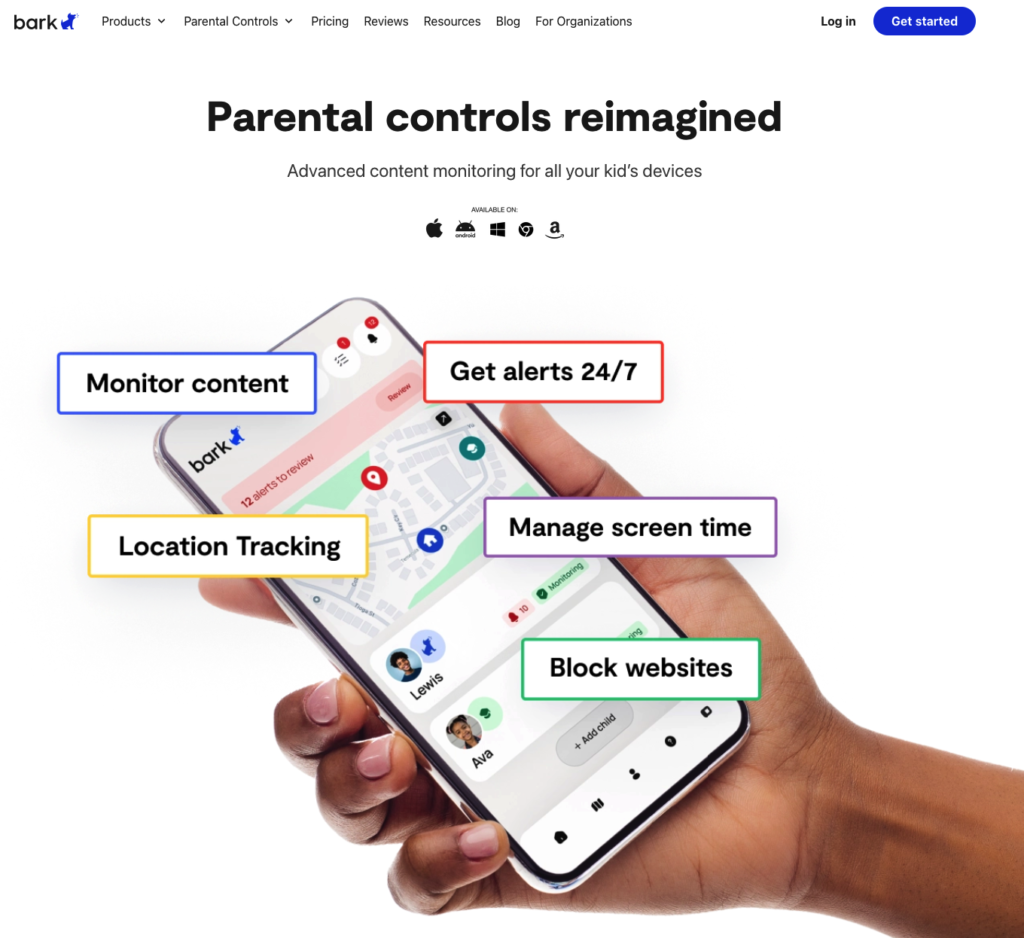
If you are prioritizing social media safety, Bark is easily the heavy hitter in the room. Most standard tools just watch the clock or track a location, but Bark actually looks at what is happening inside the app. It uses smart AI scanning to handle the specific headache of Snapchat. We are talking about analyzing disappearing messages, search history, and even chats with those weird “My AI” bots. By checking content against 19+ content categories—covering everything from cyberbullying detection to violence and self-harm—Bark makes sure you get the heads-up on serious risks. You don’t have to be that parent who manually scrolls through every single private conversation.
The best part is that it respects privacy. You get snippet alerts only when the system spots a potential issue. You aren’t reading their diary; you’re just getting notified when things look wrong. You can also tweak this to fit your parenting style using customizable alert rules. Adjust the sensitivity levels to find that sweet spot between keeping them safe and giving them space. This actually supports better digital wellbeing because you focus on real threats, not hovering over every mundane interaction.
- Account-Level Monitoring: Bark hooks right into the Snapchat account, so it spots trouble even if your child switches devices.
- Expert Guidance: When things go south and an alert pops up, Bark gives you tips and talking points from child psychologists so you know exactly what to say.
- Comprehensive Management: It comes with a solid web filter and handy app scheduling. You can block Snapchat or other apps during school hours or right before bed.
- Security Features: If you use Android monitoring, you get uninstall protection. This stops tech-savvy teens from simply deleting the app to get around your rules.
- iOS Limitations: Because Apple locks its system down tight, Bark has fewer features on iPhones compared to Androids. That said, it is still the most effective tool for catching bad stuff on Snapchat.
To get the full toolkit, you will want the Bark Premium plan. It runs about €4.30/month, which is super reasonable for that kind of peace of mind. If you want to see how it works first, you can grab the 7-day free trial to test the waters before committing.
2. Mobicip — Best for Beginners & Easy Setup
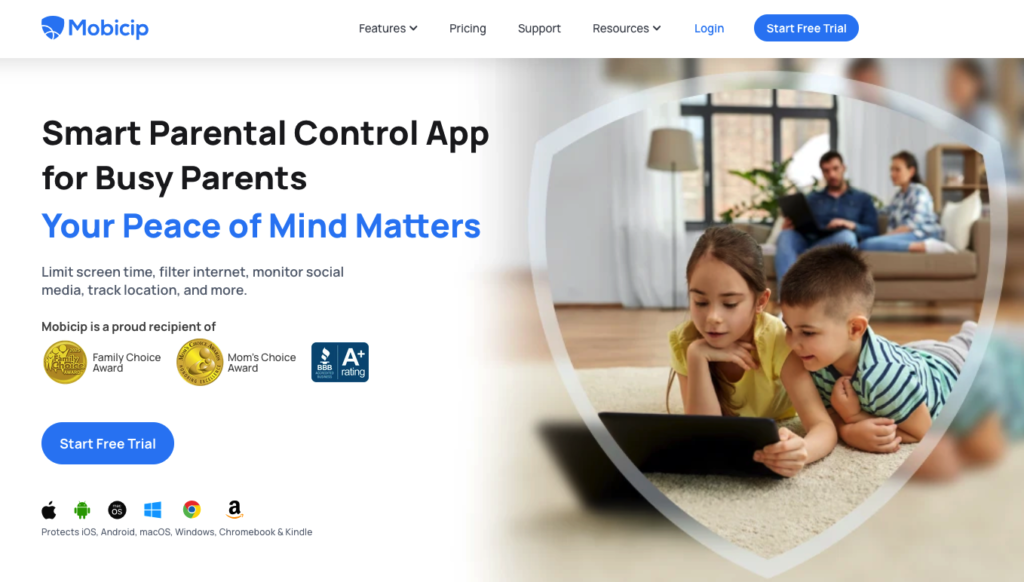
If you aren’t a tech expert but still need powerful protection, Mobicip is a breath of fresh air. It skips the steep learning curve entirely. In fact, the Social Media monitoring dashboard is built specifically for parents who hate complicated manuals. You get a unique one-tap setup that makes tracking platforms like Snapchat almost effortless. Instead of forcing you to configure endless settings, the software automatically scans messages against 5+ content categories. This covers everything from bullying and violence to adult themes. When a risk pops up, you don’t just get a vague notification; you get real-time screenshot alerts. This gives you the visual context you need to address the problem right away.
Managing screen time habits is where this app really shines. Most competitors are pretty rigid, often forcing you to block time by the hour. Mobicip is different because it lets you set time limits in 5-minute increments. This gives you the flexibility to balance homework, chores, and play down to the minute. Then there are those times when the routine goes out the window, like a family trip. You can simply toggle Vacation Mode to pause restrictions without deleting your saved schedules. On top of that, smart kids often try to bypass filters by downloading new stuff. To stop this, you can block app store downloads completely, ensuring they can’t install unapproved games or messaging apps behind your back.
Key Highlights:
- Quick Start: The one-tap setup removes the headache of configuring Instagram and Snapchat oversight.
- See the Truth: With screenshot alerts, you know exactly what is happening on their screen.
- Precise Control: Ditch the hourly blocks and set time limits in 5-minute increments.
- No Loopholes: The ability to block app store downloads keeps the device secure from unauthorized apps.
The pricing is surprisingly friendly for modern families. The Premium plan starts at just €2.57/month and covers multiple devices. It is an affordable way to keep everyone safe. Best of all, you don’t have to take our word for it. The service comes with a 30-day money-back guarantee, meaning you can test drive the full suite of features completely risk-free.
3. mSpy — Best for Discreet, Comprehensive Monitoring on Android
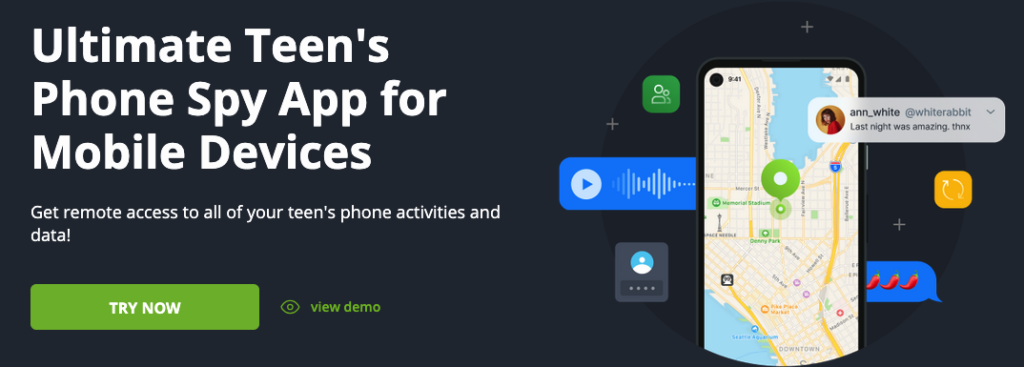
If you need to know exactly what is happening on your child’s phone down to the last detail, mSpy is the heavy hitter for discreet monitoring. This isn’t just a basic filter; it is a full-on surveillance tool. The app runs in a completely hidden mode, meaning it stays invisible on the device while sending a flood of information straight to your dashboard. This is a massive advantage for social media tracking because it lets you view all snaps, read private chats, and even catch messages they thought were deleted.
How does it dig this deep? The software relies on two specific tools to give you that behind-the-scenes look:
- Screen recorder: Think of this as a camera looking over their shoulder. It takes snapshots of the screen constantly, letting you see exactly what they see, even inside encrypted apps.
- Keylogger: This feature records every single tap on the keyboard. It captures search history, passwords, and even drafts they typed out but never sent.
That said, this level of access comes with a catch. To unlock the really advanced features, you often have to mess with the phone’s internal system. We are talking about rooting an Android device or jailbreaking an iPhone. These aren’t simple tasks. They can be complicated to pull off and might strip away the phone’s built-in security layers. Also, remember that mSpy is strictly for watching. It doesn’t really help with setting screen time limits or blocking apps on a schedule.
When it comes to cost, the Premium plan sits at roughly €10.04/month if you pay for the whole year at once. If you have a full house, the Family Kit is the smartest way to handle multiple devices without breaking the bank. Just be sure you are ready to commit before you buy. There is no free trial to test the waters, and their refund policy is tight – basically, you won’t get your money back unless the app is broken and their support team can’t fix it.
4. Eyezy – Best for Snapchat Monitoring on iOS
Eyezy stands out as a serious parental control app for parents who need granular iOS monitoring. Apple makes it notoriously hard to peek inside their walled garden, but Eyezy gets around this with its flagship Social Spotlight feature. This tool is a game-changer. Why? Because it captures disappearing messages on platforms like Snapchat and Instagram. Even when a photo or chat is meant to vanish instantly, you still have remote access to it.
On top of its social skills, the app includes a few other tools you will want to use:
- Keylogger: This tracks every tap on the screen, letting you monitor searches and texts in real-time.
- App Blocking: If you need to stop them from using a specific app, this feature lets you restrict access instantly.
- Real-time Alerts: Get notified right away if they type a “magic word” or leave a safe zone.
Here is the truth, though. There are hurdles. To unlock the full potential on an iPhone, there is a jailbreak required. That is a big deal. It is a tricky process that brings its own security risks and might void the manufacturer’s warranty. Regarding the price, the Eyezy desktop plan sits at €6.88/month. Be careful before you buy. Because there is no free trial or standard refund, you need to be ready to commit immediately.
5. Qustodio — Best for Pure Screen Time Management
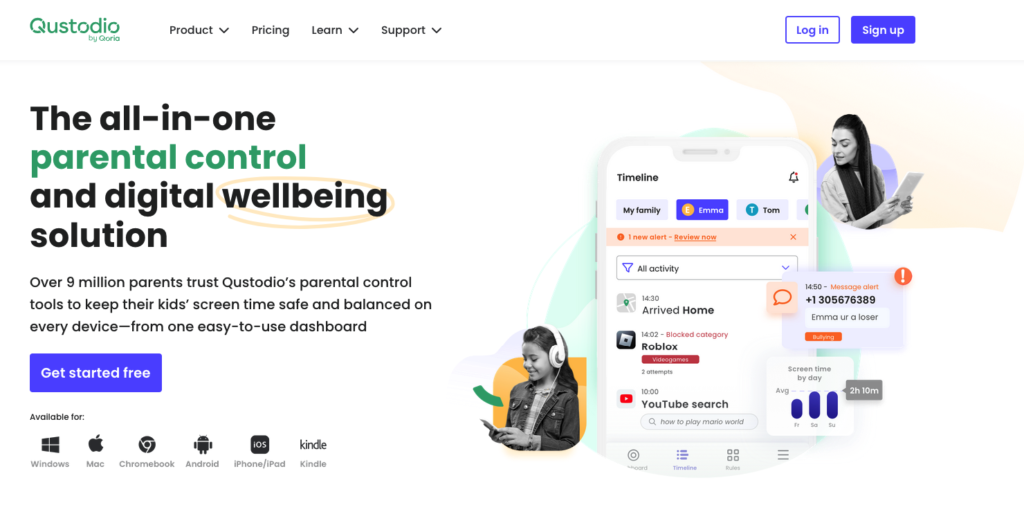
If your main goal isn’t reading every single text message but rather keeping digital habits healthy, Qustodio is the answer. It prioritizes balance over invasive surveillance. We know how easily social media usage can spiral, especially with apps like Snapchat. Qustodio steps in by letting you enforce strict daily time limits. You can set specific windows for usage or hard stop times, effectively putting an end to those late-night scrolling sessions.
The app offers a detailed activity timeline so you can see exactly when they log in and for how long. But here is where it gets really smart: kids often try to sneak around app blockers by using a browser instead. Qustodio lets you block web version access on desktops, slamming that loophole shut. On top of that, you can configure real-time app usage alerts. This means you get notified the moment they open Snapchat on a managed device.
- Volume Control: The focus here is strictly on “how much” time goes into the screen, not “what” is being typed.
- Privacy Respect: Just remember, there is no content monitoring with this tool. It won’t let you view disappearing snaps or read private DMs.
- Better Together: This actually makes it a perfect partner for Snapchat’s native Family Center. You can use Family Center to see who they are talking to, while Qustodio handles the clock.
To get these features working across all your family’s gadgets, you will want the Complete plan, which runs about €3.58/month. It is a low-risk move, too. Qustodio backs its service with a 30-day money-back guarantee, giving you plenty of time to test the blocking features before you fully commit.
Side-by-Side Comparison: Snapchat Monitoring Apps
Picking the right tool isn’t just about grabbing the first app you see. You need a proper feature comparison to figure out what will actually keep your kids safe. We know the starting price is usually the first thing that catches your eye, but cost isn’t everything. The real test is how well the software monitors messages—especially those tricky ones that vanish after a few seconds. On top of that, you likely want discreet monitoring so the app stays completely invisible on their devices.
Real parental control goes beyond just reading chats. It is about setting boundaries. You might need an app that sets time limits when they have been online too long, or one that blocks downloads of apps you do not approve of. To help you choose without the stress, look for a provider that offers a solid money-back guarantee or a free trial. Here is how the top options stack up against each other.
| App Name | Starting Price | Monitors Disappearing Messages? | Discreet Monitoring? | Sets Time Limits? | Blocks App Downloads? | Money-Back Guarantee/Free Trial |
|---|---|---|---|---|---|---|
| mSpy | $11.66/mo | Yes | Yes | No | Yes | 14-Day Guarantee |
| Eyezy | $7.99/mo | Yes | Yes | No | Yes | 14-Day Guarantee |
| uMobix | $12.49/mo | Yes | Yes | No | No | 14-Day Guarantee |
| Bark | $5.00/mo | Yes (Alerts) | No | Yes | No | 7-Day Free Trial |
| Phonsee | $8.85/mo | Yes | Yes | No | Yes | 14-Day Guarantee |
Frequently Asked Questions About Snapchat Monitoring
Can I just use the parental controls Snapchat already has?
You can, but don’t expect too much. Snapchat provides the Family Center, which lets you see who your kids are chatting with. The catch? It doesn’t actually show you the messages themselves. That is a dealbreaker for many parents. On top of that, teens are smart; if they want to hide something, they will look for a Snapchat parental controls bypass. We’re talking about workarounds like using “ghost” accounts or logging in via a mobile browser just to slip under the radar.
Is there a free app for monitoring Snapchat?
You might stumble across a free monitoring app in the store, but you should tread carefully. Honestly, you usually get what you pay for. Most of these free tools are risky. They rarely keep up with Snapchat’s constant software updates, and in the worst-case scenario, they might actually compromise your child’s data privacy. If you want security you can trust, professional paid services are really the only way to go.
Can I track Snapchat activity without them finding out?
Yes. A lot of top-tier software options let you monitor without knowing by running in a hidden or “stealth” mode. Basically, the app icon completely disappears from their device. While technology makes this possible, most experts suggest keeping this as a last resort. You don’t want to destroy the foundation of trust in your home if you don’t have to.
What happens if my child deletes their messages?
Snapchat is famous for disappearing content, right? But the good news is that advanced tools can still snag those deleted messages. These apps typically use keylogging or automatic screen captures to record the text the second it hits the screen. This ensures you have a record of the conversation even after it vanishes from the app.
How should I bring this up with my kid?
Figuring out how to explain monitoring to child can be tough. The best approach is to frame it as a safety tool, not a lack of trust. Try comparing it to wearing a seatbelt or a bike helmet. Make it clear that you aren’t trying to ruin their social life; you are just protecting them from external predators and digital mistakes that could hurt their future.
Is monitoring different on an iPhone vs. Android?
There is actually a big difference in iOS vs Android monitoring. Generally speaking, Android gives you much more granular control over specific app activities. iOS, on the other hand, often relies on iCloud backups or local syncing, which can require a totally different setup process. Always double-check that the software is compatible with your specific phone model before you buy.
Will the software stop all bad content?
Here is the hard truth: no software can 100% block all inappropriate content. That is just the nature of Snapchat’s encryption and ephemeral media. While you can limit how much they use the app and see who they talk to, the most effective “filter” is teaching your child how to spot and report “red flag” behavior on their own.
What are some general tips for online safety?
Spy software is helpful, but it’s only one piece of the puzzle. To really keep your kid secure, you need to follow these online safety best practices:
- Go Private: Lock their account down so only actual “Friends” can reach out.
- Hide the Map: Turn on “Ghost Mode” immediately so their real-time location stays hidden.
- Talk it Out: Have weekly chats about the weird or funny stuff they are seeing online.
- Cut the Cord: Use the phone’s built-in tools to restrict social media use at night.