

Why You Need Reliable Apps to Track Kids
We have all been there. You send a text. No reply. Five minutes pass, then ten. That sinking feeling in your stomach is hard to ignore. It is a wild world out there, but ensuring family safety shouldn’t feel like you are spying on your kids. That is where modern parental control tools come in. They act as a bridge between letting them be independent and keeping them secure. You give them the freedom to explore, and in return, you get that invaluable peace of mind.
Forget the glitchy, power-draining tools from a few years ago. Today’s best GPS tracking software is actually smart. It focuses heavily on battery efficiency – so the phone doesn’t die right when you need it most – and handles cross-platform tracking without a hitch. It doesn’t matter if you are on Android and they have an iPhone; these tools just work.
These apps pack serious protection into a simple interface through features that actually make sense for daily life:
- Real-time location tracking: See exactly where your child is standing at any specific moment.
- Geofencing: You set the boundaries. Whether it is school, home, or a friend’s house, you get a notification the second they enter or leave those safe zones.
- Location history: Need to look back? Check detailed logs of where they have been to spot odd patterns or just verify their day.
- Panic button: This is a lifesaver. It lets your child send an instant SOS signal with their live location to the whole family if things go sideways.
It doesn’t matter if you are watching a toddler bolt across the park or a teenager driving solo for the first time. Reliable real-time location tracking has become a cornerstone of modern parenting. To save you the headache, I have tested dozens of apps to find the ones that balance tight security with an interface that isn’t a pain to use.
Quick Comparison: Top Apps to Track Kids
Picking the right parental control software isn’t just about finding the lowest cost. While the starting price is obviously a factor, you need to know you can trust the location updates. Can your child send an instant SOS alert if things go sideways? We put this comparison together to help you weigh the number of devices you can cover and how flexible the geofenced zone settings are. On top of that, it’s good to know which options protect your purchase with a solid money-back guarantee.
| App Name | Starting Price | SOS Alert | Location Update Frequency | Geofence Range | Number of Devices | Money-Back Guarantee |
|---|---|---|---|---|---|---|
| Qustodio | $4.58/mo | Yes (Android) | Every 5-15 mins | 100m+ | 5-Unlimited | 30 Days |
| Norton Family | $49.99/yr | No | Near Real-time | 100m-3200m | Unlimited | 60 Days |
| Bark | $5.00/mo | No | On-demand / Check-ins | N/A (Check-in based) | Unlimited | No (7-Day Trial) |
| FamiSafe | $10.99/mo | Yes | Real-time | 100m-1000m | 1-10 | 7 Days |
| Mobicip | $2.99/mo | No | Every 5-15 mins | 100m+ | 5-20 | 30 Days |
| Kaspersky Safe Kids | $14.99/yr | No | Real-time | 100m+ | Unlimited | 30 Days |
One last thing before you commit. Make sure the geofenced zone alerts are precise enough for your neighborhood. Some apps give you way more control over boundaries than others, and that can make a huge difference in your day-to-day use.
🥇 1. Qustodio — Best Overall App to Track Kids
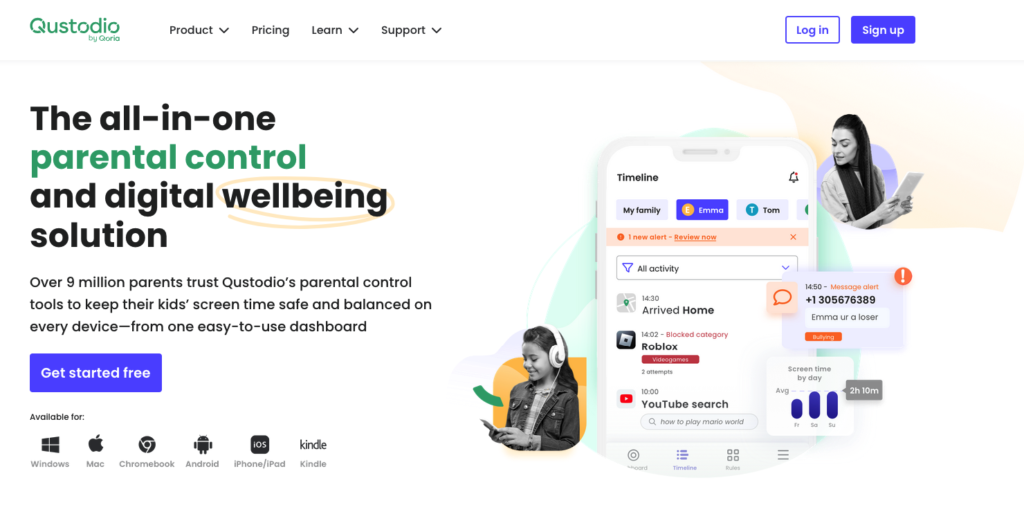
If you want a reliable tracker that doesn’t need an IT degree to operate, Qustodio is our top pick. It balances heavy-duty tech with a simple layout perfectly. The best part? You get accurate real-time updates every 5-10 minutes. That means the location you see on the dashboard is fresh, not old news.
It’s not just about right now, either. The app gives you a solid activity timeline. This lets you look back at a comprehensive 30-day location history to check their movements over the last month. It is super helpful for spotting strange patterns or unauthorized stops. On top of that, if you need to get to your kid fast, you can pull up directions via Map app (like Google or Apple Maps) instantly.
Here is why Qustodio leads the pack:
- Your Places: This geofencing tool alerts you when your child enters or leaves specific zones. The geofence radius 200 meters is tight, but it is highly accurate for city use.
- Panic Button: An SOS feature for Android that lets kids alert trusted contacts with their GPS coordinates immediately.
- Massive Coverage: If you grab the Complete subscription, you can protect unlimited devices across iOS, Android, and computers.
The short geofence range might be annoying if you live out in the country, but the platform’s reliability makes up for it. Pricing is easy on the wallet, starting at €3.58/month. You also don’t have to worry about buyer’s remorse because of the 30-day money-back guarantee. Go ahead and Try Qustodio risk-free to see why so many parents trust it.
🥈 2. Norton Family — For Accurate & Customizable Tracking
Norton Family is a top-tier pick if you are looking for Location Supervision that doesn’t feel like spying. It balances safety with trust perfectly. Instead of forcing you to watch a live map all day, Norton builds a reliable location timeline. This lets you look back and see exactly where your kids have been, giving you peace of mind without the constant need to hover over a screen.
One of the best tools here is the Alert Me feature. It takes the guesswork out of your day. You can set up customizable alerts to ping you at specific times. For example, set it for 3:30 PM to confirm your child made it to practice. If you are raising teenagers, you know they value their privacy. Norton handles this well with less invasive tracking options. The share location request is great because it lets your teen check in voluntarily. It feels like a partnership, not surveillance.
When it comes to boundaries, this app is a powerhouse. It supports a massive 2-mile geofence (3,200m). This is perfect for large school campuses or sprawling neighborhoods where tight borders just cause false alarms. That said, you should know that the GPS isn’t instant. It updates every 20-30 minutes. This might feel slow if you want real-time tracking, but for general safety checks, it works just fine.
- Pros: You get the automated Alert Me feature, a massive 2-mile geofence for fewer false alarms, and a clear location timeline to review history.
- Cons: The location data updates every 20-30 minutes rather than instantly, and the app lacks a dedicated SOS button for the child.
You can pick up a standalone subscription for €43.03/year. Alternatively, it comes bundled with the Norton 360 Deluxe suite if you need total device security. On top of that, everything is backed by a 60-day money-back guarantee. That is two full months to test it out and see if it works for your family.
🥉 3. Bark — Best for Non-Invasive Tracking & Building Trust
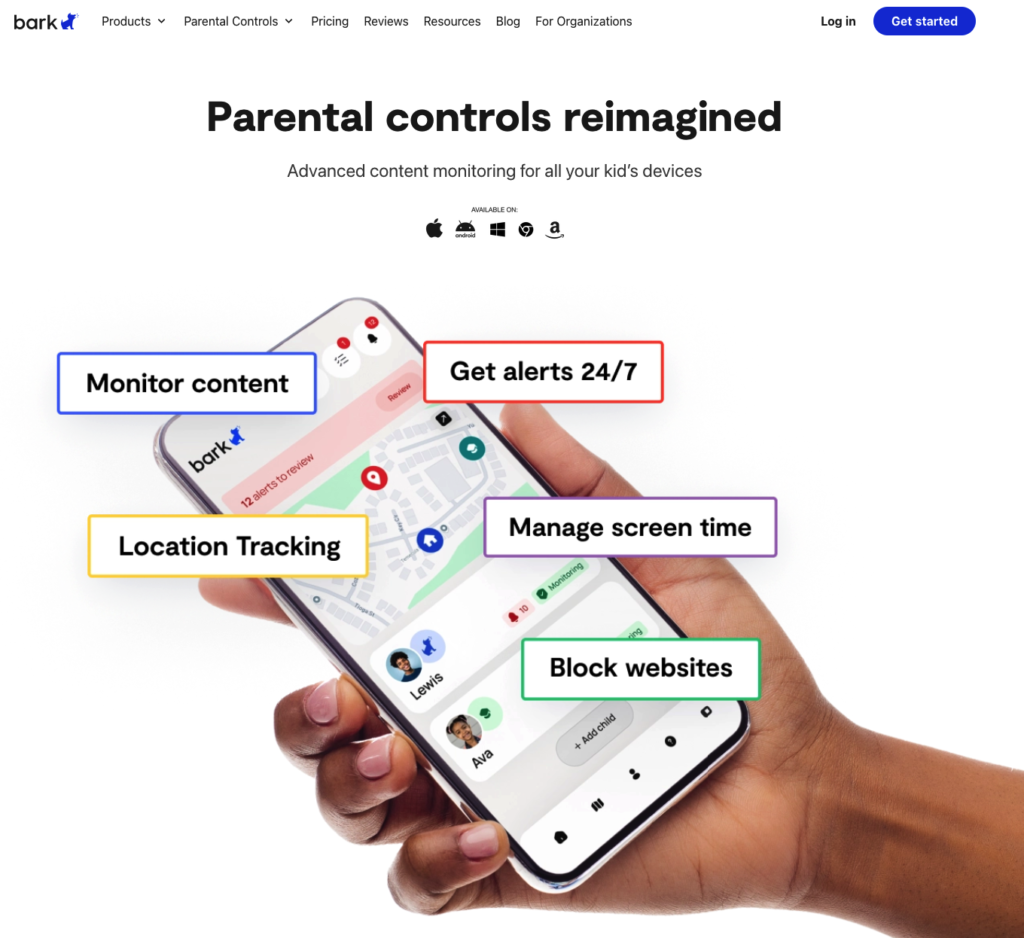
If you are raising teenagers, you already know the struggle. You want to keep them safe, but you don’t want to hover over their every move. That is where Bark shines. It feels less like a spy tool and more like a way to build digital trust. Instead of aggressive surveillance, it gives you a balanced approach. First, there is a handy check-in feature that lets your kid verify their location voluntarily. But when you need to know exactly where they are right now, the app provides real-time updates every 5-6 minutes.
When you open the app, everything revolves around the Family Map. It is super intuitive, using specific coloured pins to show where each family member is at a glance. You don’t have to stare at the screen all day, either. You can easily set up geofence alerts for the spots they visit most—like school, home, or a best friend’s house. You just get a ping when they arrive or leave. If your child isn’t ready for a smartphone yet, the Bark Watch is a great alternative that ties right into the system. On top of that, you can always review their location history or customize how you get alerted via SMS/email/push notifications so you never miss a beat.
- Pros: The location refreshes are consistent, the notification settings are highly flexible, and the geofencing covers a wide area.
- Cons: It misses a dedicated SOS button for the child to use in emergencies, and it doesn’t track driving speeds or specific transit routes very well.
For most modern families, Bark is a budget-friendly option, with plans starting around €4.30/month. While they don’t offer a traditional money-back guarantee, you can sign up for a 7-day free trial. This gives you a full week to test the mapping accuracy and see how the SMS/email/push notifications work for you before committing to a subscription.
4. FamiSafe – Excellent for Monitoring Teen Driving

Handing the car keys to your teenager is stressful. FamiSafe actually helps lower that anxiety. It stands out because it gives you a clear, honest look at how your child behaves behind the wheel with a detailed driving habits report. You don’t just get a summary, either. You can use the interactive trip slider to look back at specific routes with timestamps to see exactly what happened.
The software is aggressive about spotting risky moves. It handles speeding detection flawlessly and alerts you to instances of hard braking. These are the things you need to know to help them become better drivers. On top of that, the location tracking is reliable. It updates every 2-3 minutes, so you aren’t staring at a stale map. It’s a two-way street, too. The reverse location tracking lets your teen find you if they are stranded or in an area they don’t know.
For boundaries, you can set a geofence 100-1000 meters around specific spots. If they leave school or arrive at a friend’s place, you get a ping. It’s simple and effective.
Pros:
- Great driving data that highlights dangerous mistakes.
- Location refreshes are quick and consistent.
- Includes an SOS alert button for instant emergency contact.
Cons:
- The refund window is short.
- Geofence radius limits might feel small in very rural areas.
The price is right, starting at roughly €4.30/month. Just keep in mind that with the 7-day money-back guarantee, you have a tight window. We suggest you install the app and test those driving features immediately to make sure it fits your family’s needs.
5. Mobicip — Intuitive Family Map with Location Sharing
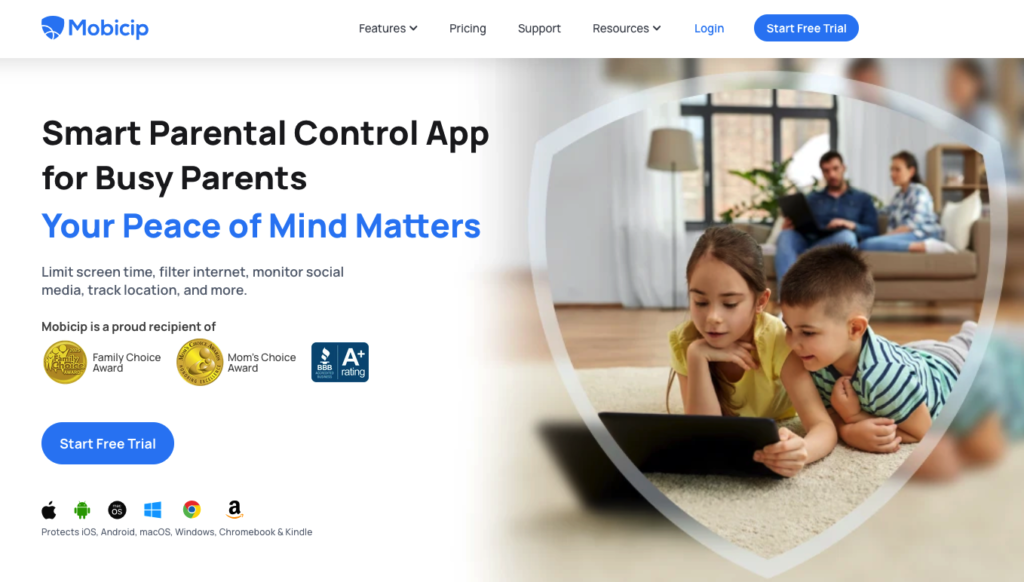
If you value simplicity and clean visuals, Mobicip is a top-tier choice for parental control software. The interface is incredibly user-friendly – you won’t get lost in settings menus here. Instead of parsing through confusing text logs, you see family avatars on map views that tell you where everyone is instantly. It allows you to share your location easily, and the system understands the nuance of current vs live location checking, so you stay connected without constantly staring at a screen.
On top of real-time checks, you get a full history. The location timeline shows exactly where your child has been throughout the day. When you need to go get them, the app removes the guesswork by offering one-tap directions to kid’s location using your phone’s native navigation. You can also set boundaries. With a geofence up to 0.62 miles (about 1,000m), you can secure the perimeter around school or home, adding a real layer of digital safety to their physical movements.
- Pros: Built-in directions to kid’s location, a clear historical location timeline, and some of the cheapest plans out there.
- Cons: No SOS panic button for emergencies and no driving reports for teen drivers.
The pricing is a huge plus, starting at just €2.57/month. You don’t have to take our word for it, though. You can start with a 7-day free trial to see how it fits your family routine. If it turns out it’s not for you, the 30-day money-back guarantee ensures it’s a risk-free test drive.
Bonus: Kaspersky Safe Kids – Simple & Fast GPS Tracking
If you want a GPS tracking app that just works without forcing you to learn a complicated system, Kaspersky Safe Kids is a solid bet. It’s built for speed. The interface focuses heavily on real-time location accuracy to ensure your child’s safety, and the map automatically updates every few minutes. This means you aren’t staring at old data. This parental control software is perfect if you want a “set it and forget it” tool, but you can also hit a manual refresh whenever you need an instant update on exactly where they are.
The parental control features are surprisingly robust, too. The standout is easily the massive geofence 62.1 miles (99.9 km) range. Most other apps simply can’t cover that kind of ground. On top of that, you get a unique timed location tracking tool. This lets you watch a child’s movement for a specific window of time-like their commute home from school. To make sure you don’t lose touch, the app sends a battery level alert the moment their device starts running low on power.
- Pros: Fast updates, a massive geofence radius, and smart tracking tools.
- Cons: You don’t get historical location data or detailed driving reports.
Price-wise, it’s hard to beat at €24.15/year, and it comes with a 30-day money-back guarantee so you can try it risk-free. That said, we have to address the US government ban currently affecting the company. It does complicate things. Because of these restrictions, you might need to use alternative app stores or direct downloads to get the software installed and updated on your devices.
How to Choose the Right App to Track Your Kids
Picking the ideal parental control tool isn’t a one-size-fits-all process. You really have to match the software’s capabilities to your family’s specific lifestyle. Based on our testing, the biggest factor is finding the right balance between accuracy and update frequency.
If your main priority is seeing exactly where your child is at any given second, Qustodio and FamiSafe are top performers. They provide the fastest real-time alerts. That said, you need to balance these instant updates against battery consumption. Constant polling can drain a child’s device in no time.
To find the best fit for your household, keep these performance pillars in mind:
- Geofencing Needs: Some parents need to monitor huge areas, like entire school districts or neighborhoods. If that sounds like you, Norton Family and Kaspersky Safe Kids offer the most reliable tools for setting large zones. They also make it easy to review comprehensive location history.
- Specialized Safety Features: Pick an app that fits your child’s age. For teenagers, FamiSafe provides excellent driving reports. Bark, on the other hand, is great for trust-building because it monitors content without using a heavy-handed stealth mode. For younger kids, an integrated SOS/panic button is a non-negotiable safety requirement, and it happens to be a standout feature in Qustodio.
- Ease of Use & Privacy: A quality app has to offer cross-platform compatibility. It should also focus on intuitive ease of use for parents who aren’t tech wizards. On top of that, always audit the provider’s privacy policy. You need to be 100% sure your family’s sensitive data is encrypted and protected.
- Value for Money: Look for multi-platform support that covers every device in your home under one subscription. We also suggest prioritizing services that offer a money-back guarantee. It’s also smart to ensure they have accessible customer support to help you with installation or troubleshooting.
How to Set Up a Family Locator App in 4 Steps
Getting digital safety tools running is actually pretty simple. In fact, the whole process usually takes less than five minutes. Even though every brand looks a little different, the Android and iOS setup workflow is practically the same across the board. Follow this quick guide, and you’ll have everything running in no time.
Step 1: Get the App on Your Phone
First things first. You need to download and install a trustworthy tracking app on your own smartphone. If you want our advice, Qustodio is a solid pick because it’s accurate and super easy to navigate. Once you have the app open, just follow the prompts to create account details using your email and a secure password. This creates the master profile you’ll use to manage everything.
Step 2: Link the Phones
Now, you need to connect child’s device to your account. To do this, simply install that same app onto their smartphone. While you are configuring things, your parent app is going to generate a unique setup code. Type those specific digits into your kid’s phone to lock in a secure link between the two devices.
Step 3: Turn on Location
For the map to actually work, you have to enable GPS services on the target phone. Make sure you select the “Always Allow” option in the permissions settings. This is the secret to getting updates even when the phone is just sitting in their pocket or the app is running in the background.
Step 4: Verify the Connection
You’re almost done. Open up the parent dashboard on your own device to test tracking tool performance. You should immediately see a pin drop on the map showing your child’s real-time location. If you see that, the sync was a success, and your safety net is ready to go.
Frequently Asked Questions About Apps to Track Kids
How can I track my kid on iPhone and Android?
Trying to monitor a mixed-device household can be a headache. Native tools like Apple’s Find My or Google’s Family Link are fine, but they rarely play nice with each other. To fix this, you need a professional third-party solution. These apps allow you to track kid on iPhone and Android devices at the same time from one simple dashboard. It doesn’t matter what hardware is in their pocket. You maintain a solid, secure connection without losing any features.
What is the best app for monitoring my family?
We have tested a lot of options, and Qustodio is still the one to beat. It’s the gold standard for a reason. It combines strong web filtering with spot-on location tools. The real selling point is its reliability across different platforms. If you want a tool that actually works to keep your kids safe—both online and in the real world—this is our top pick.
What is the best free family locator app?
Everyone looks for the best free family locator app, but here is the truth: be careful. “Free” usually comes with a hidden cost. Most of these apps make money by selling your family’s movement data to advertisers, which creates massive privacy concerns. Don’t risk it. It is much safer to pick a reputable service with a small monthly fee or a free trial. Your private information is worth paying for.
How do I use a family locator app?
It sounds technical, but it’s actually really easy to use family locator app software. You basically just follow three steps. First, set up an account on the provider’s site. Second, grab your child’s phone, download the app, and say “yes” to the GPS permissions. Finally, install the parent version on your own phone. That’s it. You are ready to start monitoring their safety right away.
How do I track my kid’s location?
Modern software gives you a full toolbox for peace of mind. When you need to track kid’s location accurately, the best apps rely on these specific features:
- Real-time GPS tracking so you can see their exact coordinates on a live map, right now.
- Geofencing alerts that ping your phone the second they enter or leave a safe zone, like school or home.
- Location check-ins, which let your child hit a single button to send you an instant “I’m safe” notification.
- History logs that let you look back and see everywhere they went during the day.