
Why Watch TikTok Without the App?
TikTok might be built for phones, but that doesn’t mean you have to download the software to enjoy it. In fact, keeping it off your device is often the smarter play. Whether you are tight on memory or just careful about online security, browsing with no app installed gives you total control over the experience.
- Save Your Memory: Not everyone has the latest flagship phone. If you are struggling with limited storage capacity, the last thing you need is another heavy program cluttering things up. The official app hoards cache files quickly, so sticking to the web saves that precious storage space for photos or apps that actually matter.
- Stay Private: Let’s be honest – the amount of data apps ask for these days is scary. Valid privacy concerns drive many security-conscious users to stick to a mobile browser, where you can watch videos without handing over every permission on your device.
- Get Around Restrictions: Depending on where you live or work, you might be facing a TikTok ban on government or local networks. Accessing the site through a browser is often the easiest practical workaround to keep viewing global content.
- Instant Access: We all get them – random shared TikTok links sent by friends or family in a group chat. It is much easier to just tap and watch in your browser immediately rather than dealing with account sign-ups or annoying redirects to the app store.
It really comes down to convenience. Ditching the app offers a cleaner, faster experience that doesn’t bog down your phone or compromise your personal data.
Method 1: Use the Official TikTok Web Version
You don’t actually need to download anything to get in on the action. The smartest and easiest way to browse is simply visiting tiktok.com directly. If you use a modern web browser like Chrome, Safari, or Edge, you get a surprisingly robust experience that feels a lot like the mobile app. On top of that, sticking to the official site is a great way to keep a handle on your account security.
The web interface isn’t just a stripped-down placeholder; it is actually packed with features. You get full video discovery capabilities right off the bat. Once you log in, the TikTok algorithm kicks in immediately to fill your FYP with the specific content you actually want to watch. Here is what you can do from the browser:
- Live stream access: You aren’t left out of the loop. You can watch real-time broadcasts and chat with creators just like you would on your phone.
- Content creation: Got a video ready on your computer? Upload it directly. You even get access to built-in editing tools to polish your clips before they go live.
- Social Interaction: Like, comment, and share whatever catches your eye. Just remember to keep things cool with the community guidelines.
- Home screen shortcut: If you want to jump back in quickly later, go to your browser settings and tap “Add to Home Screen.” This places a home screen shortcut on your device that launches just like a lightweight app.
Troubleshooting: Shared Link Fix
Every now and then, a link sent through a messaging app might refuse to load correctly in your web browser. This is usually because the URL is bogged down with extra tracking data. If you need a quick shared link fix, the trick is to remove query parameters from the address.
Take a look at the URL bar. If you see something like ...video/123456?_t=abc&_r=1, simply delete the question mark and everything following it. Cleaning up the URL usually forces the video to load instantly without annoying you to open the app.
Method 2: Find Reposted Videos on Other Platforms
Let’s be real – TikTok doesn’t just stay on TikTok. One of the smartest ways to hunt down a specific clip without touching the actual app is to simply browse other social networks. It makes total sense. Since viral videos drive massive engagement and revenue, big-time TikTok influencers and serious content creators almost always sync their libraries across every available channel. They want to be seen everywhere.
You can usually spot this reposted content just by searching for a specific hashtag, audio track, or handle. Try checking the Shorts shelf on YouTube or scrolling through Reels on Instagram. You will likely find the same clips popping up on Facebook and X (Twitter) too. While this is a super convenient workaround, the truth is that the experience isn’t always smooth.
Here are a few trade-offs you should keep in mind:
- Hard to find specific clips: Unless a video is actively trending, tracking it down is tough if the creator didn’t manually share it elsewhere.
- Annoying overlays: You are going to deal with watermarks. The bouncing logo and username often cover up the action or block text.
- Bad framing: Videos often get cropped awkwardly to fit different screen layouts on other apps.
- Grainy playback: The viewing quality usually takes a hit. Aggressive compression during the download and re-upload process often kills the definition of the original file.
Method 3: For Parents – Monitor with AirDroid Parental Control
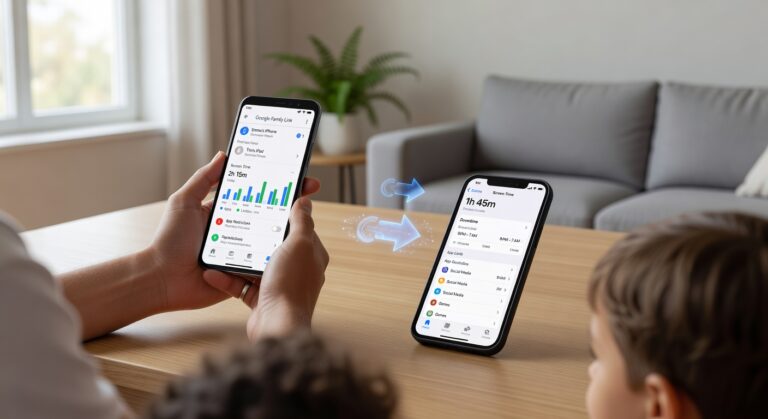
If you want a complete overview without the hassle of creating a burner account to follow your kids, AirDroid Parental Control is the way to go. Acting as a top-tier TikTok Tracker, this parental control app gives you a clear window into your child’s digital life. It is built for real-time monitoring, meaning you can view your child’s TikTok activity remotely and securely. Here is how to get full visibility on what they are watching:
Step 1: Download AirDroid Parental Control
First, get the AirDroid Parental Control app on your own phone. It’s available on all major app stores. Once you have it, set up your admin account to create a secure hub. This lets you manage devices and get security alerts on the fly.
Step 2: Connect the Child’s Device
Use the setup guide to link your kid’s phone. You will need to install the companion app, AirDroid Kids, on their device. Grant the permissions, and the phones will pair up. Just like that, the parental control app starts syncing data seamlessly.
Step 3: Tap ‘Social Content Detection’ on the Dashboard
Head to your parent dashboard and hit Social Content Detection. This feature is smart. It scans for specific keywords and keeps an eye on engagement across platforms. Think of it as an automated safety net that flags bad content before it turns into a real problem.
Step 4: Switch to ‘Activity’ to View Watched Videos
Inside the detection menu, toggle over to the Activity log. This gives you a history of the videos your child interacted with. Even better, the app gives you a video source link for every entry, so you can check the exact content they viewed.
On top of logging, the app packs some advanced tools to give you total peace of mind:
- Screen Mirroring: You can use Screen Mirroring to watch their screen live, seeing exactly what they see as they scroll.
- Remote Video Recording: Automatically capture screen activity to keep proof of content that might break your house rules.
- Keyword Alerts: Get a notification instantly if the app spots restricted words in TikTok captions or comments.
Method 4: Download Videos for Offline Viewing (Use with Caution)
Maybe you are worried about losing access to your favorite creators because of potential banned access in your region. Or, perhaps you just plan to uninstall the app to cut down on screen time. Whatever the reason, you can download TikTok videos specifically for offline viewing. This lets you archive the content you actually care about directly to your device’s local storage.
Most users simply save clips through the mobile app. However, performing a web version download via a desktop browser is another solid option before you remove your account access.
That said, while having a video saved for later feels like a smart workaround, it isn’t a perfect fix. In fact, relying on this strategy has a few drawbacks you need to consider:
- It’s hit or miss: You can’t download everything. Many creators disable the “Save Video” option in their privacy settings, so you might lose access to the best clips regardless of your efforts.
- Stuck in the past: This is a static solution. The app moves fast, meaning you will quickly be left with outdated content while the rest of the world moves on to new challenges.
- Zero engagement: Offline files do not support real-time updates. You won’t be able to read new comments, see updated captions, or click links to external resources.
- Storage limits: High-quality videos take up a lot of room. Filling your smartphone or hard drive with media files just isn’t practical for the long haul.
At the end of the day, downloading videos is great for keeping specific memories or tutorials safe. But let’s be honest – it fails to replicate the dynamic experience of the live platform. Treat this as a digital scrapbook rather than a real way to consume content.
Method 5: Third-Party Online Viewers – Why We Don’t Recommend Them
When you start looking for ways to keep tabs on social media activity, you are almost guaranteed to run into a website marketed as a third-party TikTok viewer. On paper, the pitch sounds perfect. These tools promise anonymous browsing, allowing you to watch clips and snoop on profiles without leaving a single trace. But here is the reality check.
We strongly advise against using these services. They might look like a quick fix, but the risks simply aren’t worth it. Here is why you should stay away.
Not Officially Affiliated and Unreliable Data
First off, these platforms are not officially affiliated with the app. They operate in the shadows. Because they rely on “web scraping” to pull information, the data reliability is often terrible. You might be staring at metrics that are weeks old, missing comments, or incomplete profiles. If you want an accurate look at what is actually happening online, these glitchy tools won’t give it to you.
Terms of Service Violation and Creator Rights
It goes beyond just bad data. Accessing content through these unauthorized backdoors is a direct Terms of Service violation. On top of that, many of these sites allow users to save videos without permission, which walks all over creator rights. Using these platforms doesn’t just break the rules; it undermines the ethical standards of the community.
Privacy Issues and Legal Risks
Finally, we have to talk about your safety. Trying to force your way into an account causes serious privacy issues and opens you up to potential legal risks. To make matters worse, these sites are often riddled with malware or trackers designed to compromise your personal information. Protect your devices and your legal standing by avoiding these tools entirely. Trading your security for a little bit of anonymity is never a good deal.
Frequently Asked Questions (FAQs)
Trying to view content without signing in can feel like an obstacle course because of constantly changing privacy rules. Below, we answer the biggest questions about how to watch TikTok without account access and how to get around those annoying technical blocks.
Can I watch TikTok on the app without an account?
Absolutely. You can open the official application and browse right away without handing over your email. When you launch the app, just swipe past or close the login screen. From there, you are free to scroll the “For You” feed or use the search bar to find specific users. The catch? It is strictly a “look but don’t touch” experience. You can see everything, but you cannot like and comment, follow anyone, or upload your own videos. That said, if your main goal is anonymity and dodging data tracking, this is a solid option.
Why can’t I watch TikTok without an app sometimes?
It can be incredibly frustrating when the mobile web version refuses to load. If you are hitting a wall, it is usually because of one of these three things:
- Browser Limitations: Mobile browsers, specifically Chrome and Safari, often have built-in restrictions. They are designed to push you toward the native app because it offers a smoother experience (and better data collection for them).
- App Prompt Interference: You might be getting blocked by an aggressive app prompt. This is the pop-up that covers the video player, forcing you to either download the application or remain stuck on a restricted preview screen.
- Link Structure Issues: Sometimes, the URL itself is the problem. If the link structure is cluttered, the mobile site might not know how to handle it. This frequently happens when a link is heavy with query parameters (that long string of random characters following the “?” in the web address).
The quick fix? Try deleting those query parameters from the end of the URL so it looks cleaner. If that fails, go into your browser settings and switch to “Desktop Mode.” This usually tricks the site into bypassing mobile restrictions.
Final Thoughts: Picking What Works Best
At the end of the day, how you browse really comes down to your personal goals. Maybe you just want to kill some time with funny clips, or perhaps you need to keep a closer eye on digital habits for safety reasons. Whatever the case, there is a tool out there that fits the bill.
- TikTok web version: If you want to scroll through trending videos without the hassle of making an account or installing an app, this is the way to go. In fact, it is the recommended solution for most casual users.
- AirDroid Parental Control: For those prioritizing family safety, this tool is the heavyweight option. It is designed specifically for parental monitoring, giving you the features you need to keep children safe across various social media platforms.
- Offline download: This is your best bet if you want to stash high-quality content to watch later when you don’t have an internet connection.
A quick warning, though – be careful with unverified online viewers. While some third-party extensions might seem tempting, these sites are often glitchy and, honestly, they are rarely a safe method for accessing content. Stick to the trusted approaches. That way, you can enjoy the videos flexibly without worrying about your privacy.